Songs and the stage · In every plan
Every song in every key. Every chart on stage.
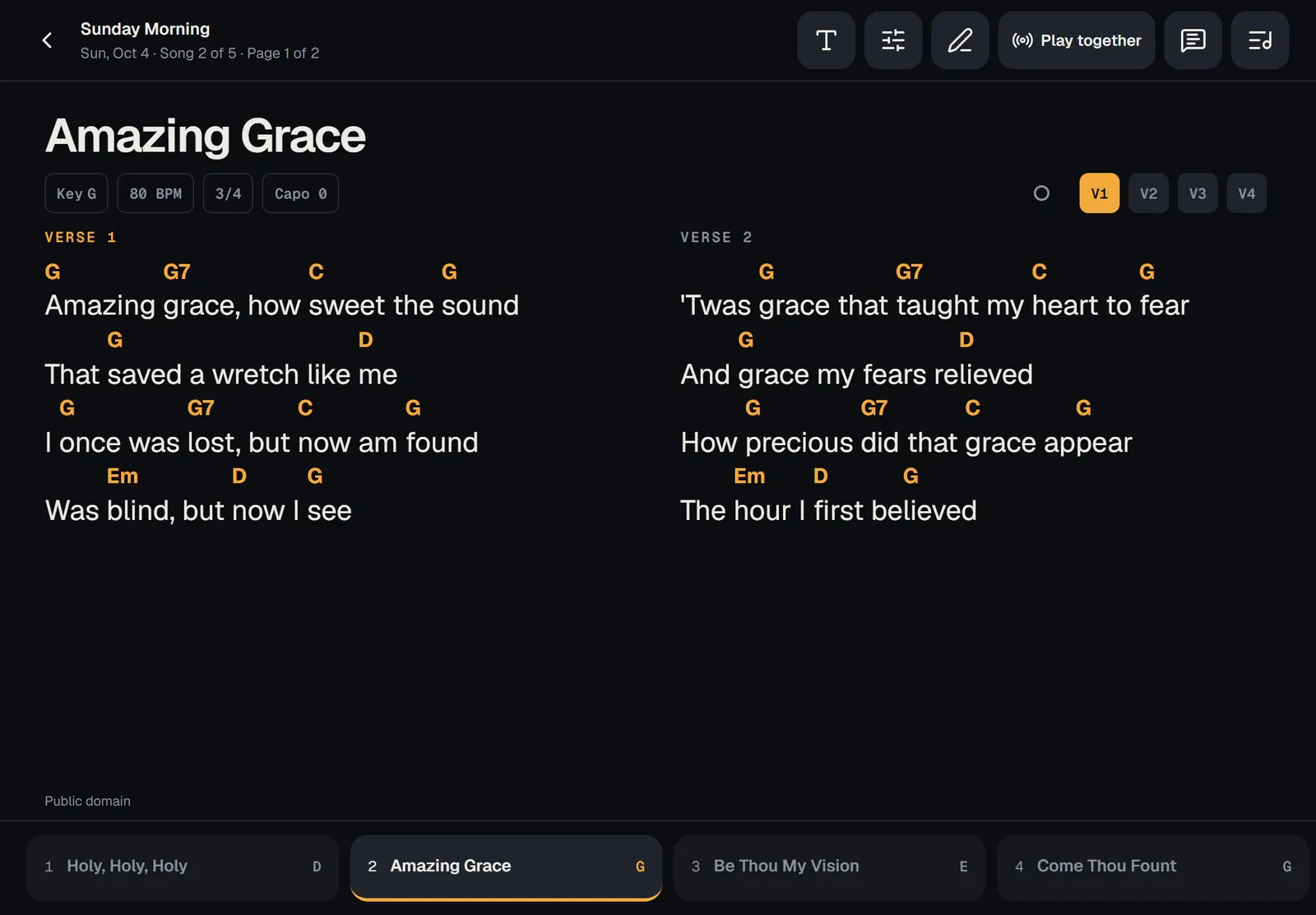
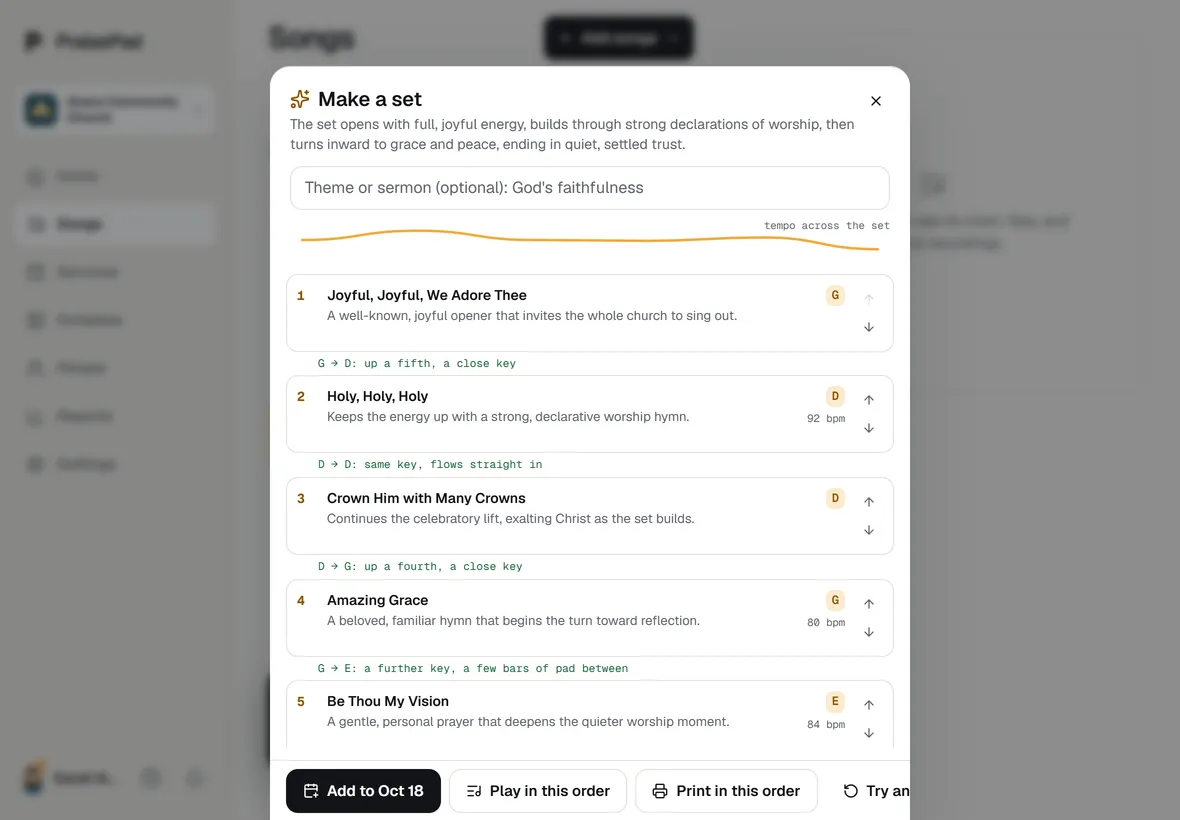
One library for the whole team: type a chart once and it’s in any key, with a capo, chord diagrams or numbers for whoever needs them. On Sunday it’s full screen on an iPad or phone, even with no Wi-Fi, and on a paid plan the band follows the leader.
In every plan, the Free plan and Solo included. Playing together, guest links and the CCLI report come with a paid plan, from $14 a month for a team of up to 10.
- Learn your part: Musician For anyone who plays or sings
- Learn your part: Worship leader For whoever plans the music
One library, every key.
Type the chords in brackets before the words and PraisePad transposes the chart, shows a capo’s shapes, Nashville numbers, or chord diagrams for guitar, bass, mandolin, piano or ukulele. Every save is kept as a version, so an older one is a tap away.
Bring what you have.
Upload charts, Word files, photos, PDFs, an OnSong backup or ProPresenter files in any mix, and check each song before it’s saved. Find a song on the web by its name, and a recording for every song without leaving PraisePad.
On stage, together.
Two columns on an iPad, one on a phone, pages turned by a pedal or a tap. The services you’re on in the next seven days download by themselves. A leader starts a session and every screen follows to the song and the part, each person’s capo still their own.
Playing together
Play it together.
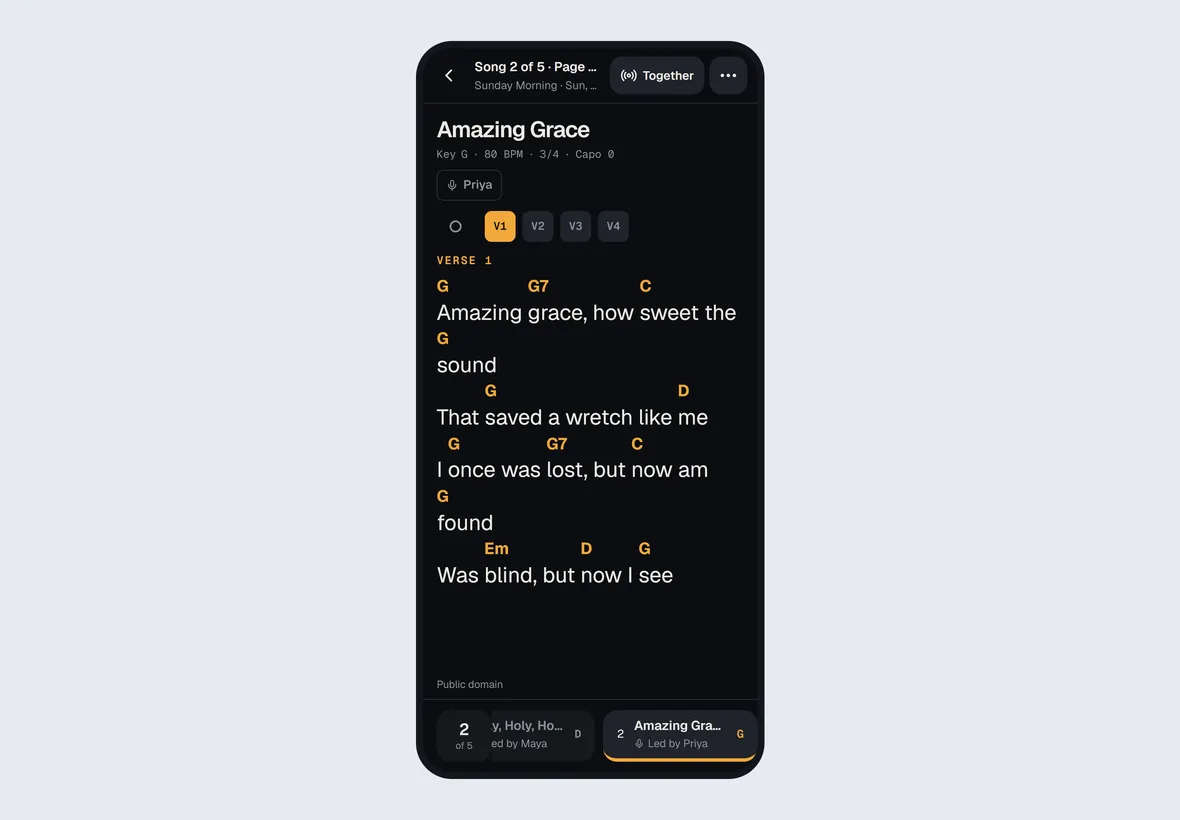
A leader starts a session in stage view, and everyone else’s screen moves to the song and the part the leader is on. Each person’s capo and view stay their own, and a guest musician with a link follows too. A wrong chord? A leader fixes it right there, and it’s fixed on every screen.
Lead the band. Try it.
Change the key or move to the next song on the leader’s iPad, and the singer’s phone follows a moment later, chords and all. Each person’s capo stays their own.
Amazing Grace
 Built in
A tuner, built in.
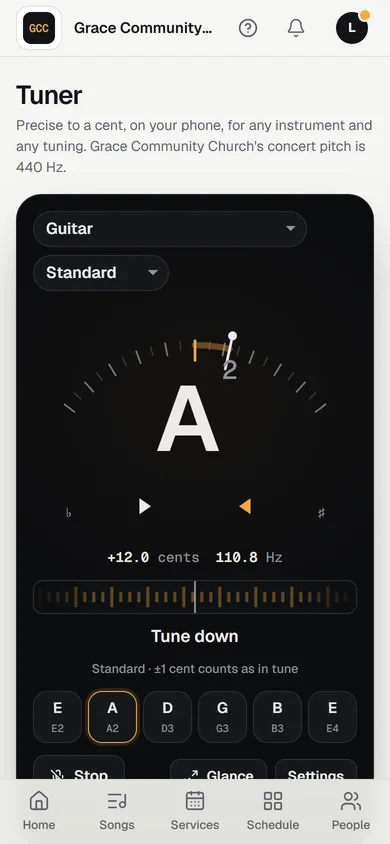
Precise to a cent, for any instrument and any tuning, on the stage on the song’s own tuning. Free on every plan.
See it move →
Built in
A tuner, built in.
Precise to a cent, for any instrument and any tuning, on the stage on the song’s own tuning. Free on every plan.
See it move →
What’s in it
- Open a service or a song on stage Stage view shows your charts full screen, one page at a time. How to open it and move around.
- Change the key, or play with a capo Leaders set the band's key, in the plan or on stage. Anyone can try another key or set a capo for themselves.
- Write and edit a chart Type chords in brackets before the words, mark the sections, and set the order the band plays them in.
- Use stage view without Wi-Fi Download a service or a song so it opens on stage with no connection. Services you're on download by themselves.
- Play together: everyone follows the leader When a leader starts a session, everyone's stage view moves to the song and part the leader is on.
- Fix a chord or a word from the stage Leaders press Fix on stage, tap a line, and change a chord or a word, or add a chord on any letter. The band sees it.
- Upload charts, Word files, photos, and PDFs Drop any mix of charts, Word files, photos, PDFs, or an OnSong backup. You check every song before it's saved.
- Find a song on the web, or bring one in from a link Search chord charts by a song's name, or paste a link to a chart, a PDF, or a recording, and import it after a look.
- Find a recording without leaving PraisePad Press Find a recording and PraisePad lines up the closest matches from YouTube and Apple to hear and pick.
- The player bar Play a song's recording while you move around PraisePad, keep the video out of the way, and mark parts to learn.
- Draw and write notes on PDF charts Mark up a PDF chart on stage with the pen, highlighter, eraser, and pinned notes. Only you see them.
- Tune your instrument PraisePad's tuner listens on your phone, for any instrument and any tuning, and shows the last cent.
Each opens its help article. Every feature, on the Everything page under On stage
Questions
Does it work without Wi-Fi?
Yes. Download a service or a song while you have a connection and stage view opens it with none: the charts, PDFs, your notes, key and capo, and pedals. The services you’re on in the next seven days download by themselves.
From the help: Use stage view without Wi-Fi
Can each musician use a capo?
Yes. Pick a key a capo gives you and PraisePad offers it: “Capo 4 gives you C shapes while the band stays in E.” Your capo follows you to every device, and nobody else’s screen changes.
From the help: Change the key, or play with a capo
Can a sub play without an account?
Yes. A leader makes a guest link on the service’s Share tab. It opens the set on stage with no account, follows the leader when you play together, and stops working at the end of the day after the service.
From the help: Share a service with a guest musician
What does it cost?
Songs, charts, the stage view, printing and offline are in every plan, the Free plan and Solo included. Playing together, guest links and the CCLI report come with a paid plan, from $14 a month for a team of up to 10.
From the help: Your plan, the 14-day trial, and the AI allowance
Something else? Search the help centre, or ask Pad, PraisePad’s assistant, with the button at the corner of the page.
The rest of PraisePad
- Services and scheduling Sunday planned in minutes, and the right people asked once.
- Serve Every team on the schedule: greeters, ushers, parking, kids, tech.
- Present Slides from the service, every screen, the sermon from your notes.
- Kids & Check-In Check-in with codes and labels, rooms, paging, the family pass.
- Giving Gifts recorded and counted by two, statements in minutes, giving online.
- Events and the calendar One calendar, sign-ups, tickets, check-in at the door, rooms booked.
- Your church’s site A cover photo, Plan a visit, sermons, Give and a chat, in English and Spanish.
- Everything in PraisePad All 145 things it does, by area, each with its help.
Try it with your own church.
Every new church starts with 14 days of Team 10’s features for up to 5 people, no card needed.