For your church, starting with the worship team
Your worship team, on the same page.
Songs, set lists, the schedule, and the recordings to learn from, in one place. Every chart on stage in the right key, on any iPad or phone, even without Wi-Fi. And the rest of your church lives here too: slides, kids check-in, giving, events and your own site.
In Numbers: 1 1⁷ 4 1 · 1 5 · 1 1⁷ 4 1 · 6m 5 1, the same in every key.
14 days of Team 10’s features for up to 5 people, no card needed. Invited churches stay free for the length of the beta.
What’s in PraisePad
One platform for the whole church.
Turn on what your church needs, with one sign-in and one list of your people. Each part has its own page.
-
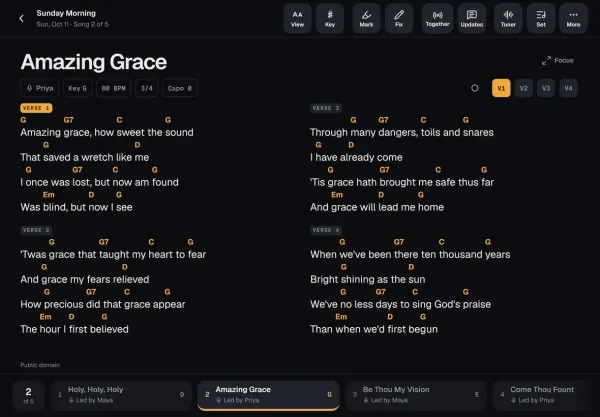
Songs and the stage
Every chart in every key, on an iPad or phone, even without Wi-Fi.
In every plan
-
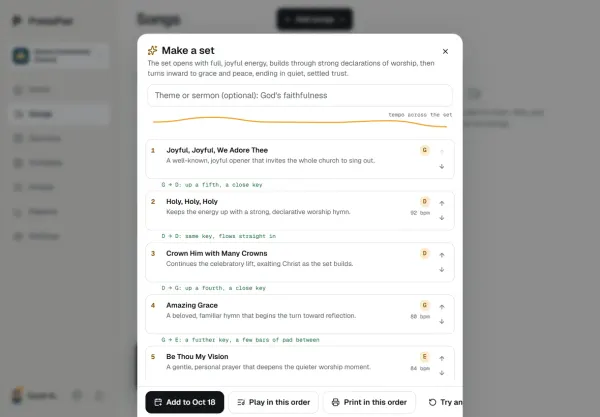
Services and scheduling
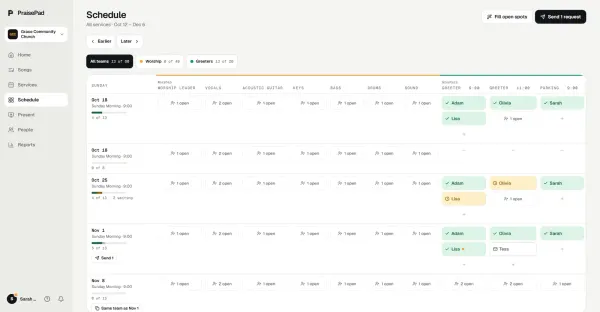
Sunday planned in minutes, and the right people asked once.
In every church plan
-
-
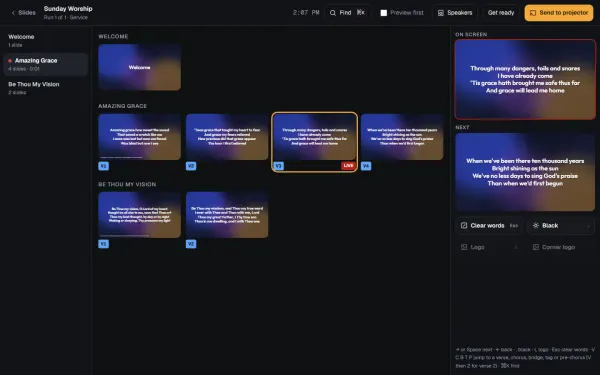
Present
Slides from the service, every screen, the sermon from your notes.
In beta: free, by request. $9 a month at launch for founding churches
-
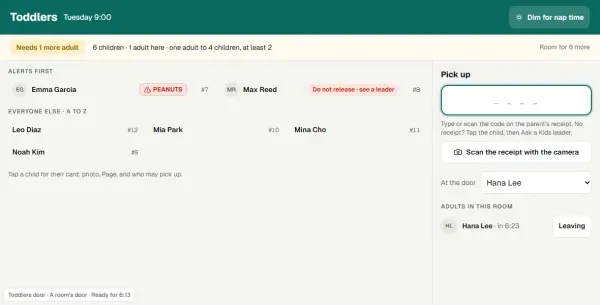
Kids & Check-In
Check-in with codes and labels, rooms, paging, the family pass.
In beta: free, by request. $9 a month at launch for founding churches
-
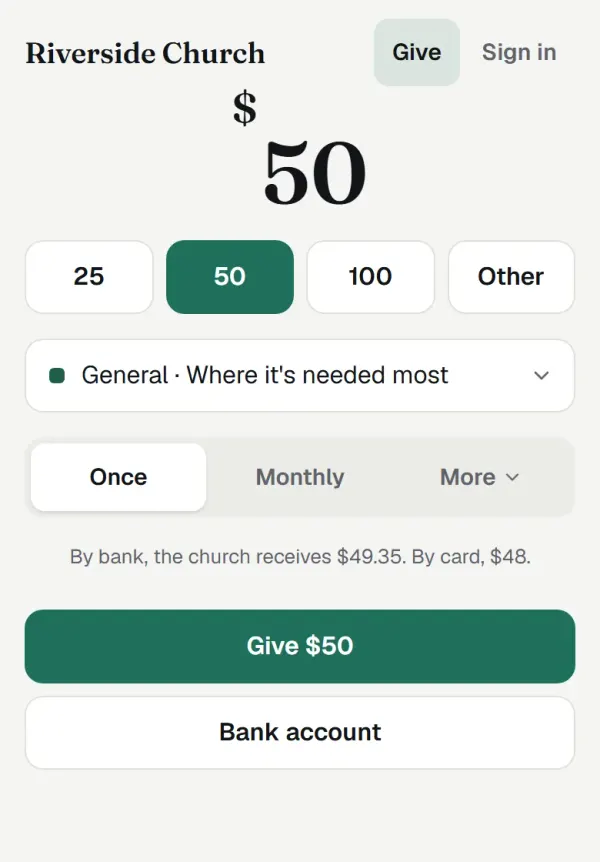
Giving
Gifts recorded and counted by two, statements in minutes, giving online.
No extra charge. Giving online: Stripe’s fee + 0.5%
-
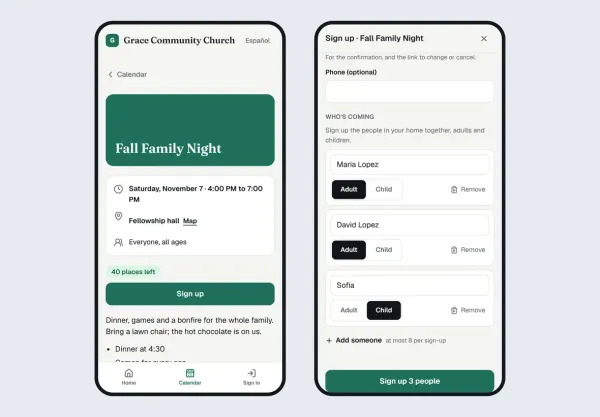
Events and the calendar
One calendar, sign-ups, tickets, check-in at the door, rooms booked.
In beta: free, by request. $9 a month at launch for founding churches
-
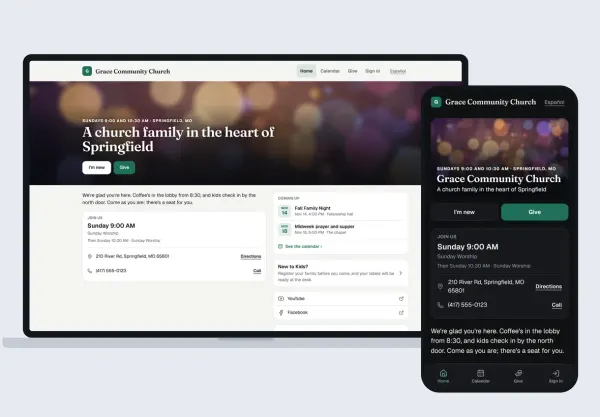
Your church’s site
A cover photo, Plan a visit, sermons, Give and a chat, in English and Spanish.
No extra charge, with Giving, Kids, Events or Present
Find your part.
Each part has a short course, made from the real app, and so do serving teams and whoever runs your events.
-
Worship leader
Plan the service, every song in the right key, and ask the team.
Services and schedulingSongs and the stage
Learn your part as a worship leader -
Musician
Say yes to Sunday, the stage on your iPad or phone, and practice with the recordings.
Songs and the stageServices and scheduling
Learn your part as a musician -
Pastor
The sermon’s slides from your notes, your own screen, and sermons on your church’s site.
PresentServices and schedulingYour church’s site
Learn your part as a pastor -
The tech booth
Run the slides and the screens, change them live, and record the sermon.
PresentServices and scheduling
Learn your part in the tech booth -
The kids team
Check families in at the desk, the room’s iPad, and pickup that matches.
Learn your part on the kids team -
The office and admins
Your church set up, your people in, and who sees what.
GivingEvents and the calendarYour church’s site
Learn your part in the office
Bringing your songs in
Your songs, in on day one.
The charts you already have, in whatever shape they’re in, and the ones you don’t have yet.
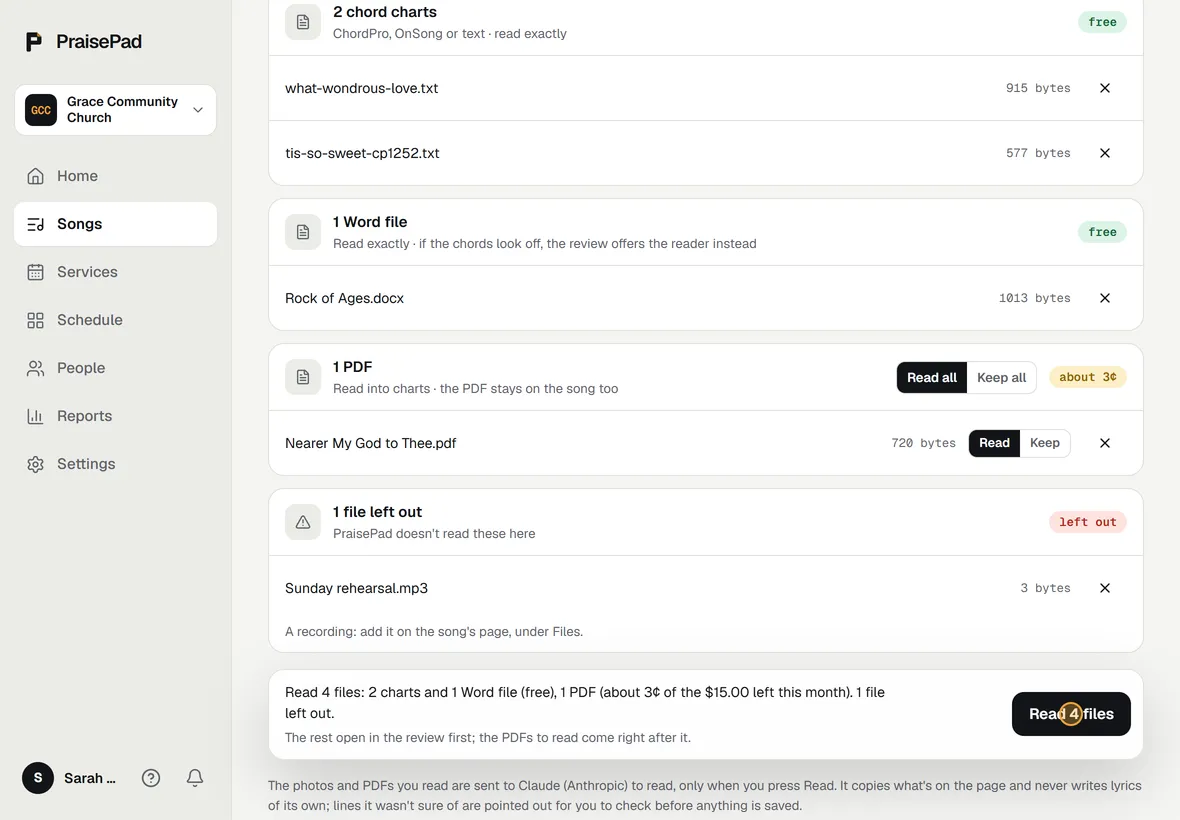
One Upload for every file.
Drop in ChordPro and OnSong files, a whole OnSong backup, Word documents, PDFs, and photos of printed charts, all at once. Each kind says what it will do before anything happens: text and Word files are read free, a PDF is read into a chart or kept as it is, and a photo is read by AI.
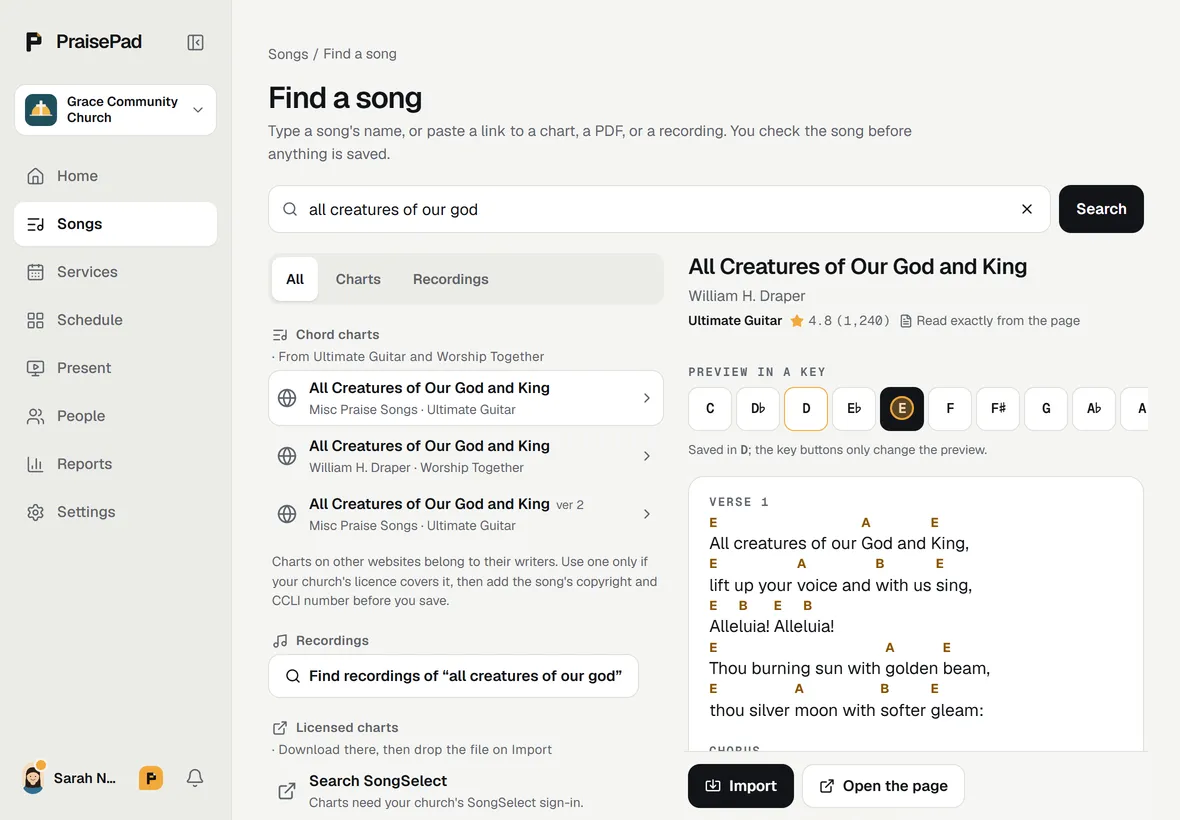
Find a song on the web.
Type a song’s name and PraisePad finds chord charts on the sites your church chooses, shows one in its own style, and lets you hear it in any key before you bring it in.
Every song shows for a check before it’s saved: its title, key, and CCLI number, and its chart, open to fix right there.
Try it: this chart is real
Every song. Every key.
Type a chart once and PraisePad transposes it, adds a capo, shows Nashville numbers, and keeps every arrangement and revision. Change the key here with the buttons: this is the app’s own transposer, not a picture of it.
Verse 1
Verse 2
Chords glow when you point at them. On stage they’re amber on dark, readable from three feet.
Stage view
Charts on stage, the way you want them.
Turn pages with a Bluetooth pedal or a tap. Highlight, draw, and leave yourself notes; a note on the chorus shows every time it comes around. A wrong chord? Fix it right there, and it’s fixed on every screen. Chord diagrams for guitar, bass, mandolin, piano, or ukulele, in your own tuning; cues you tap to jump; numbers if you think that way. Two columns on an iPad, one on a phone, warm text on dark, and the set list always in reach.
Lead the band from your iPad and everyone’s screen follows, the song and the key. Try it on the Songs page.
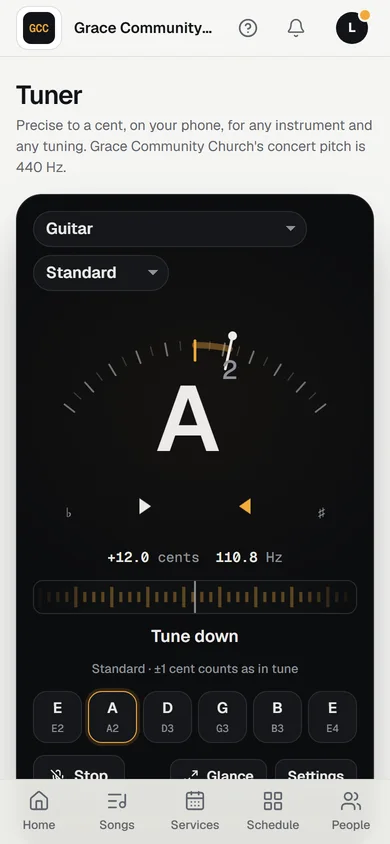 New
A tuner, built in.
Precise to a cent, for any instrument and any tuning, on the stage on the song’s own tuning. Free on every plan.
See it move →
AI, where it helps
Smart when you ask.
- Suggest songs for a sermon
- Change the set by typing
- Read a photo or a PDF into a chart
- Check a chart before Sunday
- Scheduling rules in your own words
- Ask Pad
Nothing goes to the AI until you press its button. Every paid plan has a monthly allowance, and Pad is free.
Built for churches
Made for a church, not a conference.
Roles that fit a church
Owners, admins, leaders, and musicians. People without an account can still be on the team. Contact details stay with leaders.
Your library is yours
Nothing is shared between churches, and you can export all of it whenever you like.
Any device with a browser
iPad, Android tablets, phones, and laptops. Add it to the Home Screen and it opens like an app, light or dark as you like.
On an iPhone or iPad, the PraisePad app has your schedule, set lists and charts, offline on Sunday. Get the app.

Help when you want it
A help centre in plain words, Pad for a quick answer, and a person when you’d rather.
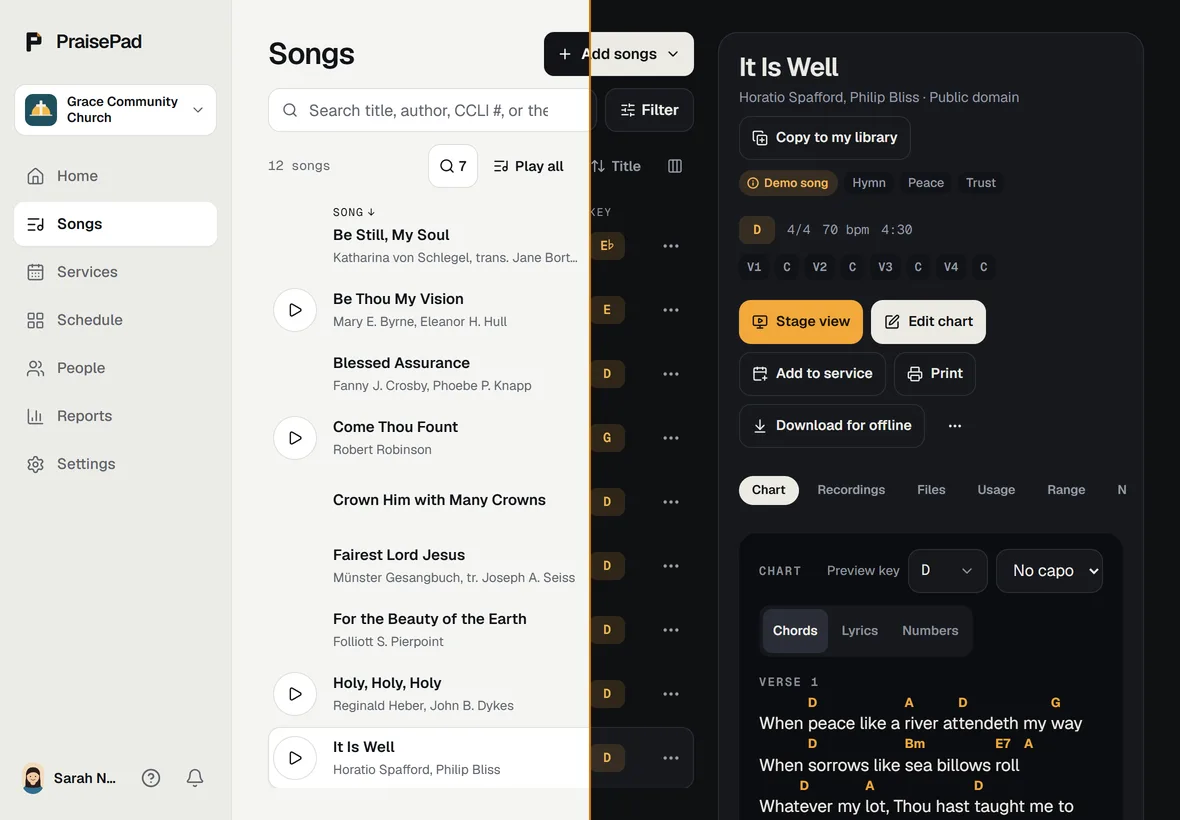
Just you?
PraisePad Solo is free for one musician: your own songs and sets, right beside your church’s.
Plans by team size.
Free for a team of up to 5, from $14 a month for a team of 10, and every new church starts with 14 days of Team 10’s features for up to 5 people, no card needed.
Questions churches ask.
Do we need a CCLI license?
PraisePad doesn’t supply lyrics or charts, apart from a few public-domain hymns to try. Your church confirms it holds the licenses for what it uploads; most churches have a CCLI Church Copyright License. The usage report helps you file.
Does it replace Planning Center?
For songs, set lists, scheduling, the stage, kids check-in, giving, events and your church’s own site, yes. Not groups, forms or workflows yet. Connect once and PraisePad brings your people, songs and plans over.
Is this only for the worship team?
No. It started with the worship team, and the rest of your church is here too: every team on one schedule, slides for the screens, kids check-in, giving, events and your church’s own site. Turn on what you need; each part has its own page.
What does Present cost?
Present is in beta: free, by request. An owner or admin asks for it under Settings, then Modules, and we turn it on. Founding churches pay $9 a month at launch, and keep that price. Churches in the beta and on Enterprise have it already.
Which devices does it work on?
Any recent browser: Safari on iPad and iPhone, Chrome on Android tablets and phones, and laptops. Bluetooth page-turner pedals work on stage. On an iPhone or iPad there’s also the PraisePad app on the App Store, for your schedule, set lists and charts.
Can we get our data out?
Yes, on every plan. Owners and admins can export every chart, file, and spreadsheet from Settings, any time. The chart files import back into PraisePad or open in other ChordPro apps.
How do we get in?
Press Start free: you create your account and your church, and the 14 days begin. Or ask for an invitation below and we’ll set you up for the beta.
What about the songs we already have?
Bring them all. Upload takes ChordPro and OnSong files, an OnSong backup, Word documents, PDFs, and photos of printed charts, in any mix, and Find a song finds charts on the web by name. Every song shows for a check before anything is saved. New churches start with three hymns, so there’s something to try from the first minute.
Is there AI in it, and what does it see?
Only where it helps, and only when you ask: suggesting songs for a sermon, changing a set by typing, reading a photo or a PDF into a chart, checking a chart, and reading a scheduling rule you write. Nothing is sent until you press its button, and then only what that one job needs, like the set or the chart. These come with each paid plan’s monthly allowance. Pad, which answers questions about PraisePad and about your church, is free for everyone.
Can I use it just for myself?
Yes. PraisePad Solo is free for one musician: your own songs and charts in any key, sets for gigs and practices, the stage, and the tuner. Play at a church on PraisePad too? Your library sits beside the church’s, and you can copy its songs to practise for Sunday.
Start today
Ask for an invitation.
Tell us a little about your church and your team. We reply by email, usually within a few days, and set you up with every feature, free, for the length of the beta. In a hurry? Start free now and your 14 days of Team 10’s features, for up to 5 people, begin today.
- No card, no contract, nothing to install.
- Bring your charts in on day one, or start with ours.
- Your library stays yours, and you can export it any time.
Thanks. We have your request.
We’ll reply to , usually within a few days. If you don’t hear from us, write to team@praisepad.app.