Text messages
Texts from PraisePad.
PraisePad is a scheduling and chord-chart app for church worship teams. A team member can choose to get their church’s scheduling messages by text. Texts go only to a number its owner verified and agreed to, in their own account. Nobody else can sign them up.
What we text
Only messages about the member’s own church services. Never marketing or promotions.
- A one-time code to verify their mobile number.
- Requests from their leaders to play or sing at a service, which they can answer by replying (for example Y3 or N3).
- A reminder a few days before a service they said yes to, and one nudge if a request is still waiting.
- Requests to fill in for a teammate, and word when a sub is found.
- Short announcements from their leaders about a service they’re scheduled for, and changes to their schedule.
Message frequency varies with the church’s schedule, usually a few texts a month. Message and data rates may apply. Requests, reminders, and announcements aren’t sent between 9 PM and 8 AM in the church’s time zone. Every text starts with the church’s short name, except the verification code.
- Turning texts onPraisePad: you’re set to get texts about your church’s services. Message frequency varies. Message and data rates may apply. Reply STOP to stop, HELP for help.
- A requestGCC: Sarah asked: can you play keys on Sunday? Sunday Morning, Oct 4, 9:00 AM. Reply Y3 to accept or N3 to decline. Details: https://app.praisepad.app/respond/abc123
- A reminderGCC: Reminder: you’re playing keys on Sunday. Sunday Morning, Oct 4, 9:00 AM. https://app.praisepad.app/respond/abc123
- The verification codePraisePad: your code is 482913. It works for 10 minutes. If you didn’t ask for it, ignore this text.
How someone turns texts on
Opt-in happens only in the PraisePad web app, by the owner of the number, while signed in to their own account. Leaders can’t turn on texts for anyone else, and we never import or buy phone numbers. Texts are off until the member finishes these three steps on the Texts page (app.praisepad.app, then Me, then Texts).
-
They enter their mobile number
A US or Canadian mobile number. PraisePad texts it a six-digit code to prove the number is theirs.
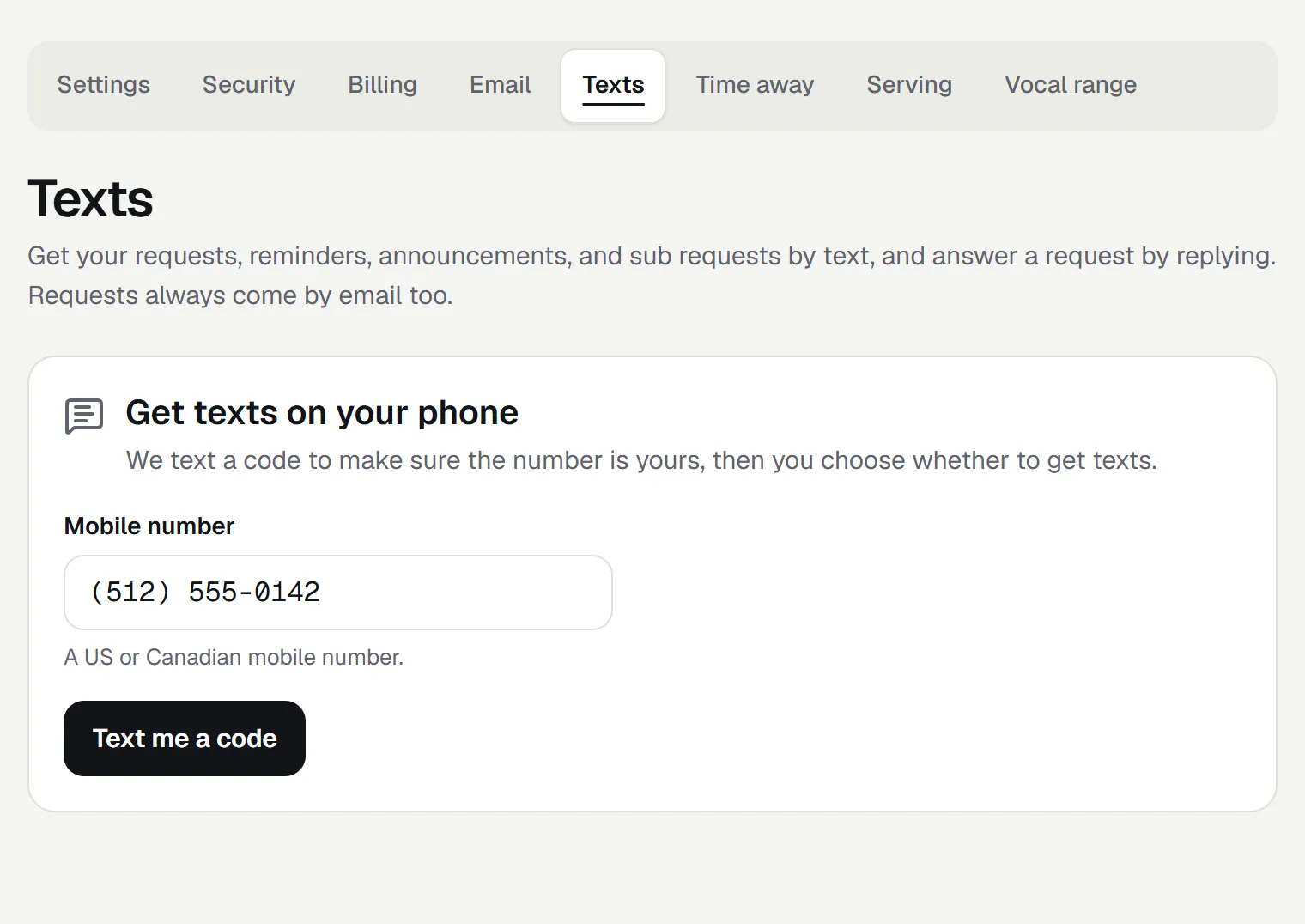
Step 1 on the app’s Texts page. -
They enter the code and agree to the texts
The consent is shown in full beside an unticked box. Texts can’t be turned on until the member ticks it. It reads, word for word:
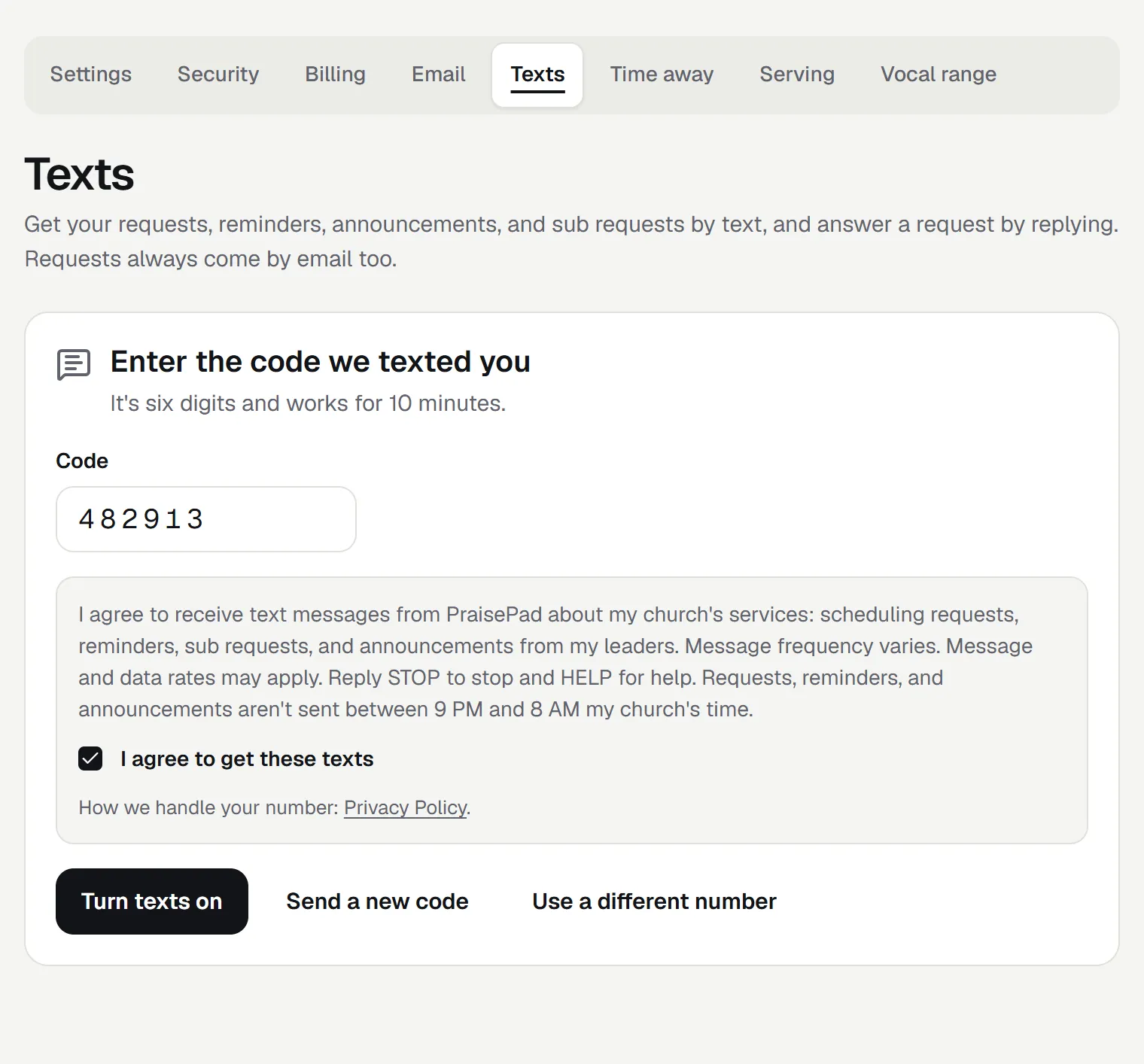
Step 2: the code, the consent, and the box the member ticks. The Privacy Policy is linked right there. -
They press Turn texts on
The number is saved with the words they agreed to and the date, and PraisePad sends one confirmation text. The page then shows that texts are on, how to stop them, and which kinds of text to get.
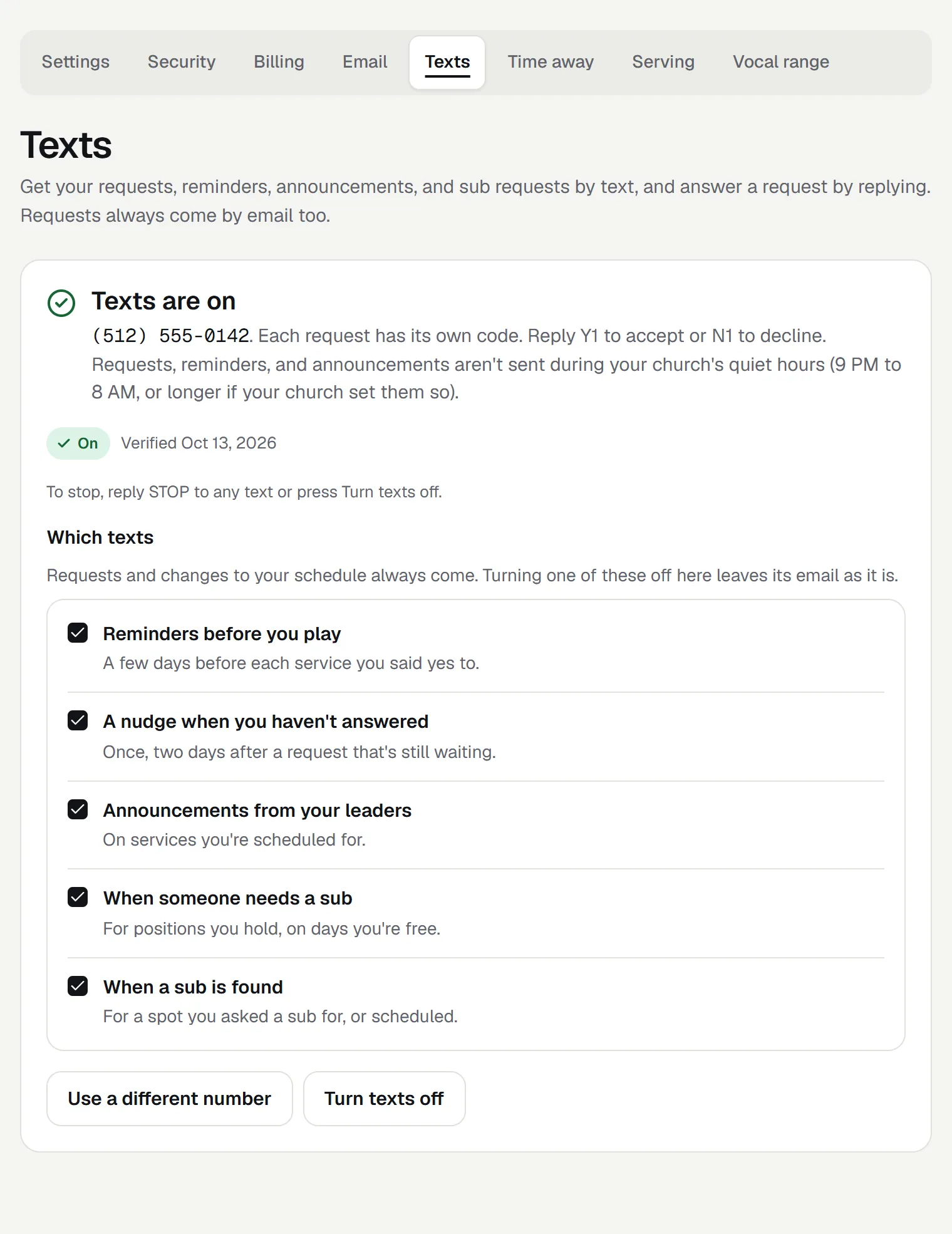
Step 3: texts are on, with Turn texts off always one press away.
Stopping texts, and getting help
- STOP
- Reply STOP to any text and nothing more is sent to that number. You get one text confirming it.
- START
- Reply START to get texts again.
- HELP
- Reply HELP for how to reach us.
You can also press Turn texts off on the Texts page at any time. Requests still come by email and in the app either way. For help, write to team@praisepad.app or visit help.praisepad.app.
Your number
Your mobile number and your consent to texts are never shared with third parties or affiliates for marketing or promotional purposes. We use them only to send the texts above. Read the Privacy Policy and the Terms of Service.