Services and scheduling · In every church plan
Plan Sunday in minutes. Ask the right people once.
Pick the songs, each in the key your singer needs, add the welcome and the message, and watch the run sheet add up. Then fill the open spots around time away and your church’s rules, and everyone answers from their email, no account needed.
In every church plan. On Free that’s up to 5 people and one kind of service; Fill open spots and the AI features come with a paid plan, from $14 a month for a team of up to 10.
- Learn your part: Worship leader For whoever plans the music
A plan the team can read.
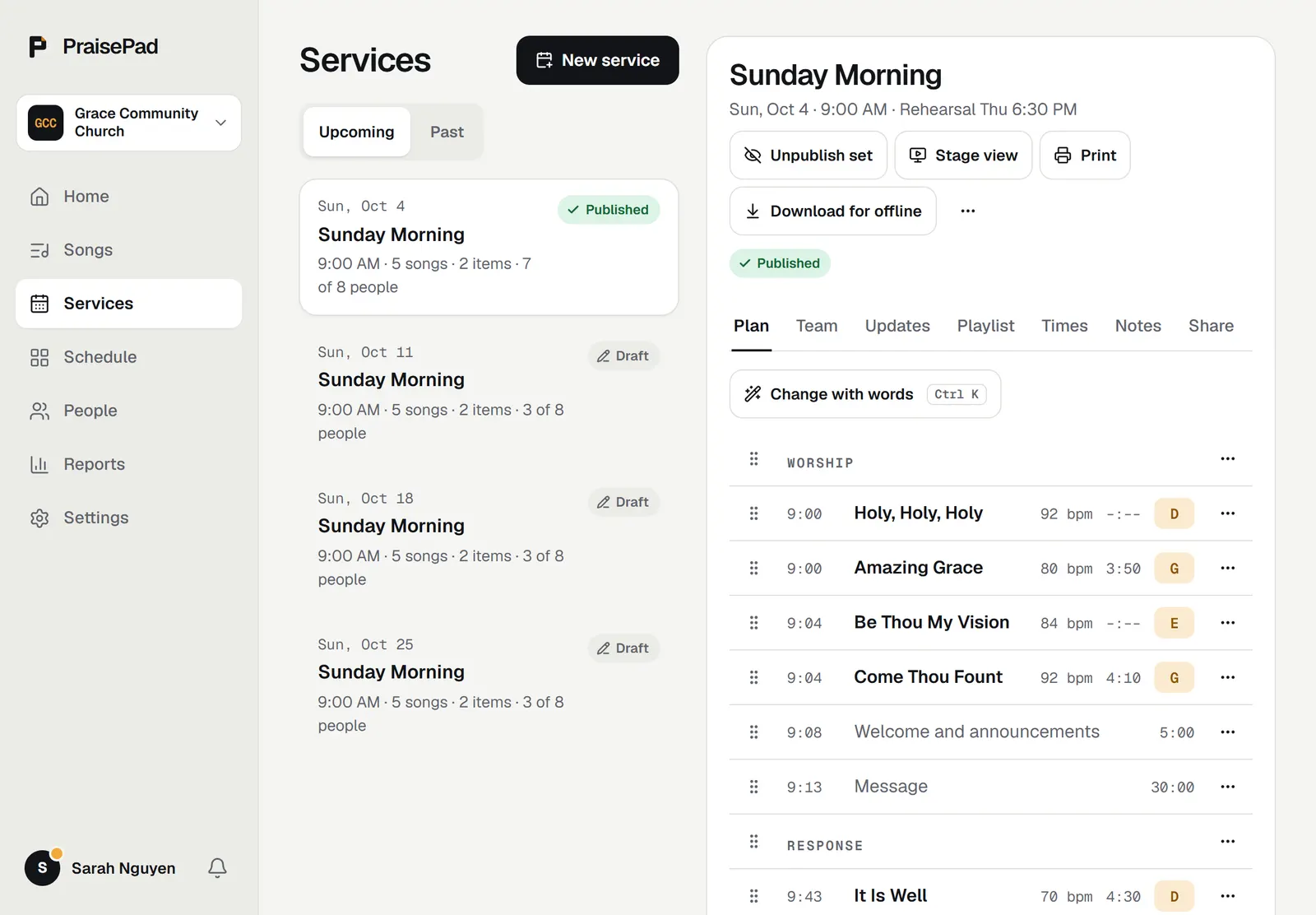
Songs in their keys with who leads each one, headers for Worship, Message and Response, and the times added up. Publish when it’s ready: the team sees the set then and not before, and a leader’s key change on a published plan shows in its Updates.
Help when you ask for it.
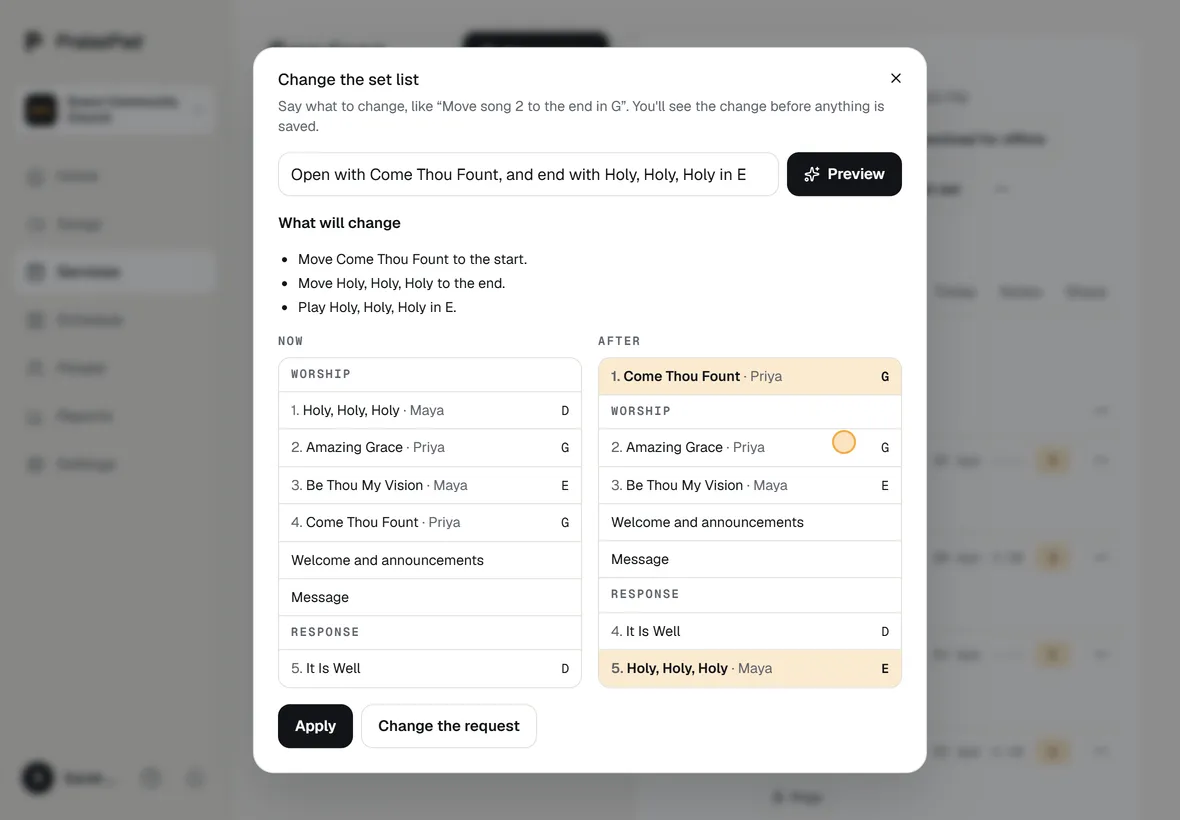
Suggest songs picks from your own library for a theme, a scripture or the sermon, each with a key and why it fits. Change the set by typing what you want, “Move song 2 to the end in G”, and check the change before it’s applied.
Scheduling that keeps to your rules.
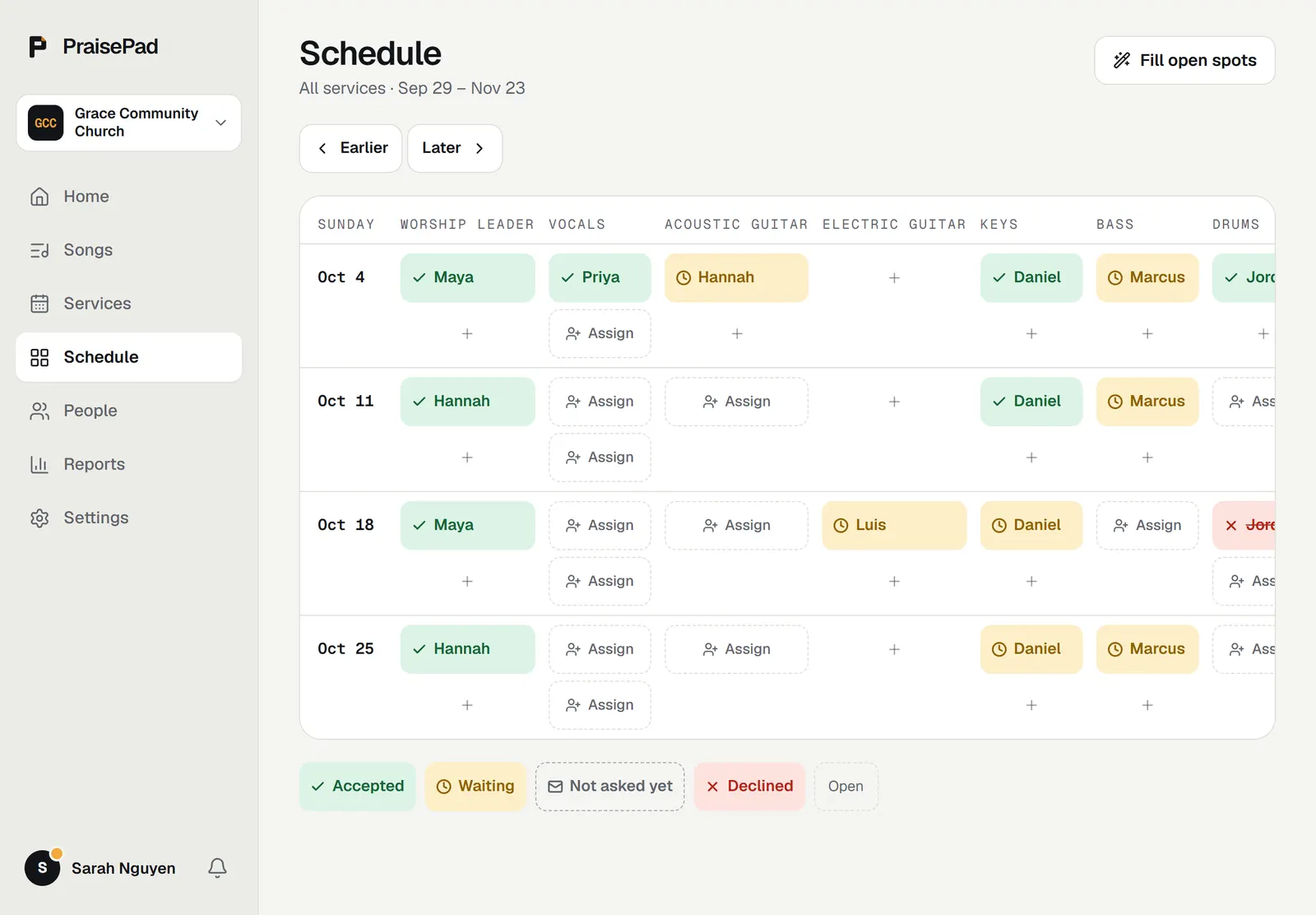
Fill open spots drafts the coming Sundays around time away, other services and your church’s rules, sharing the spots fairly. Nobody is asked until you send, people answer from the email, and Find a sub covers whoever can’t make it.
A week with PraisePad
From Monday’s plan to Sunday’s last chord.
The same few things every week, each one a page in PraisePad instead of a stack of PDFs, a group text, and a spreadsheet.
-
Monday
Plan Sunday in minutes.
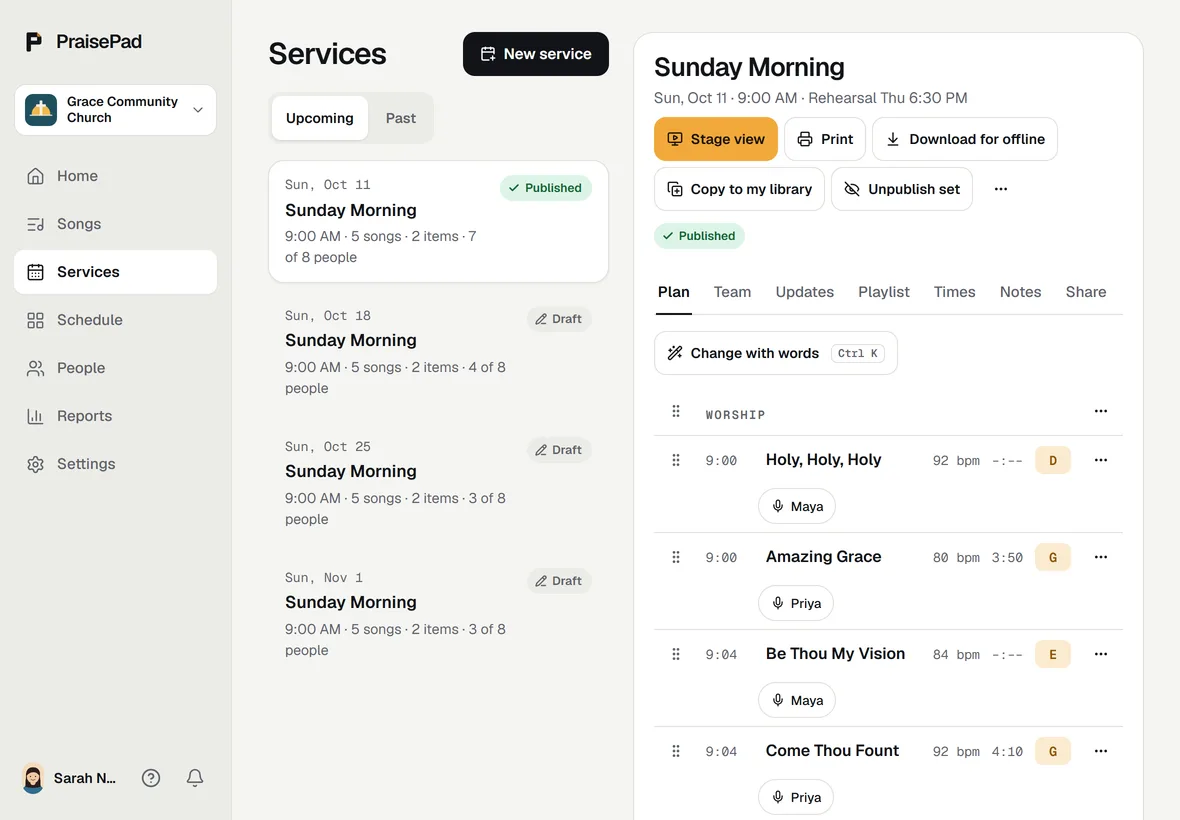
Pick the songs, each in the key your singer needs, add the welcome and the message, and watch the run sheet add up. Ask for songs that fit the sermon, change the set by typing what you want, and print the whole set for anyone who wants paper. Publish when it’s ready; the team sees it then and not before.
-
Tuesday
Ask the right people, once.
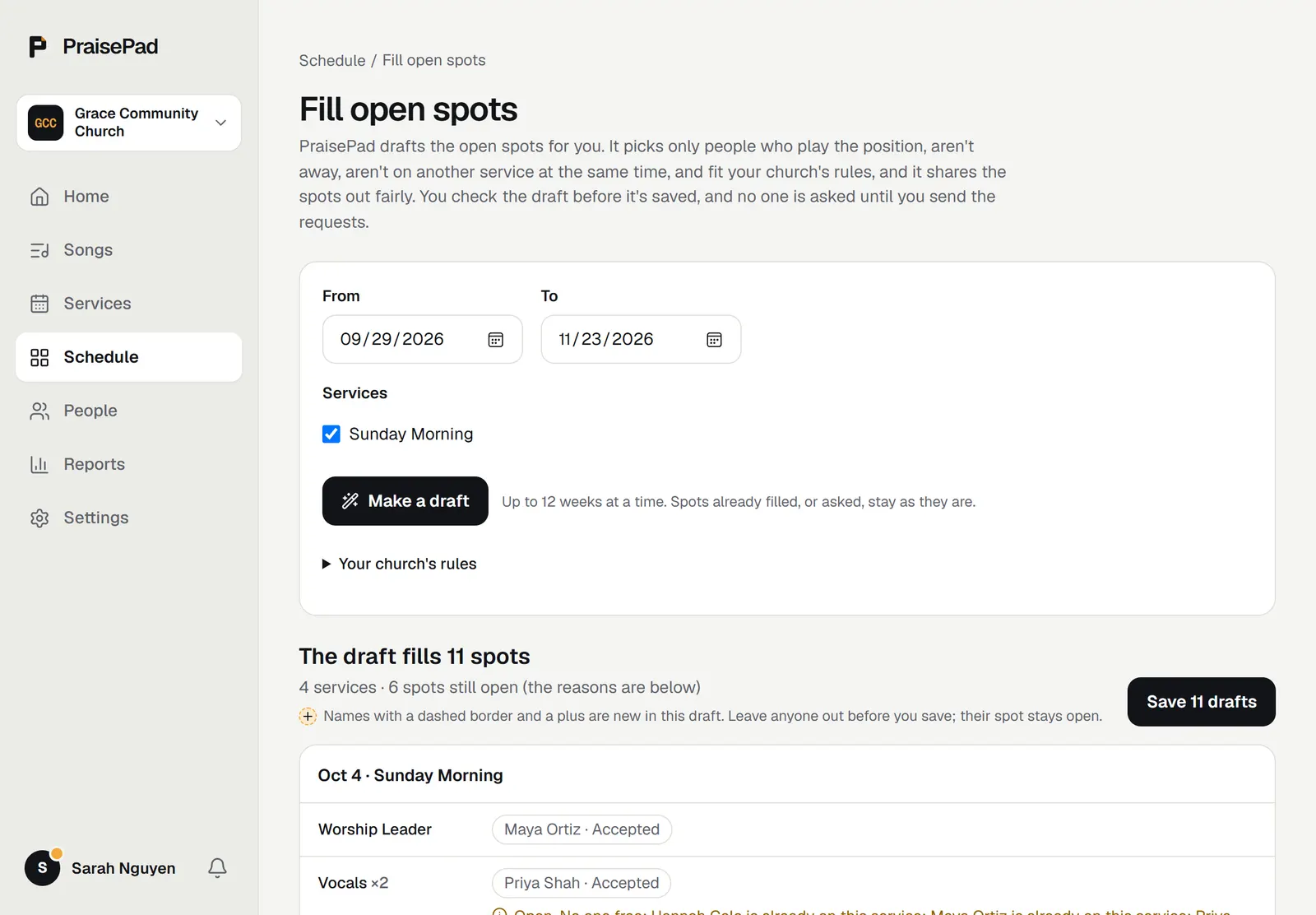
See who plays keys, who’s free, and who’s away. Press Fill open spots and the coming Sundays fill in around time away and your church’s rules; check the draft, then send. Everyone answers from their email, no account needed, reminders go out on their own, and Find a sub covers whoever can’t make it.
-
Wednesday
Learn it the way you’ll play it.
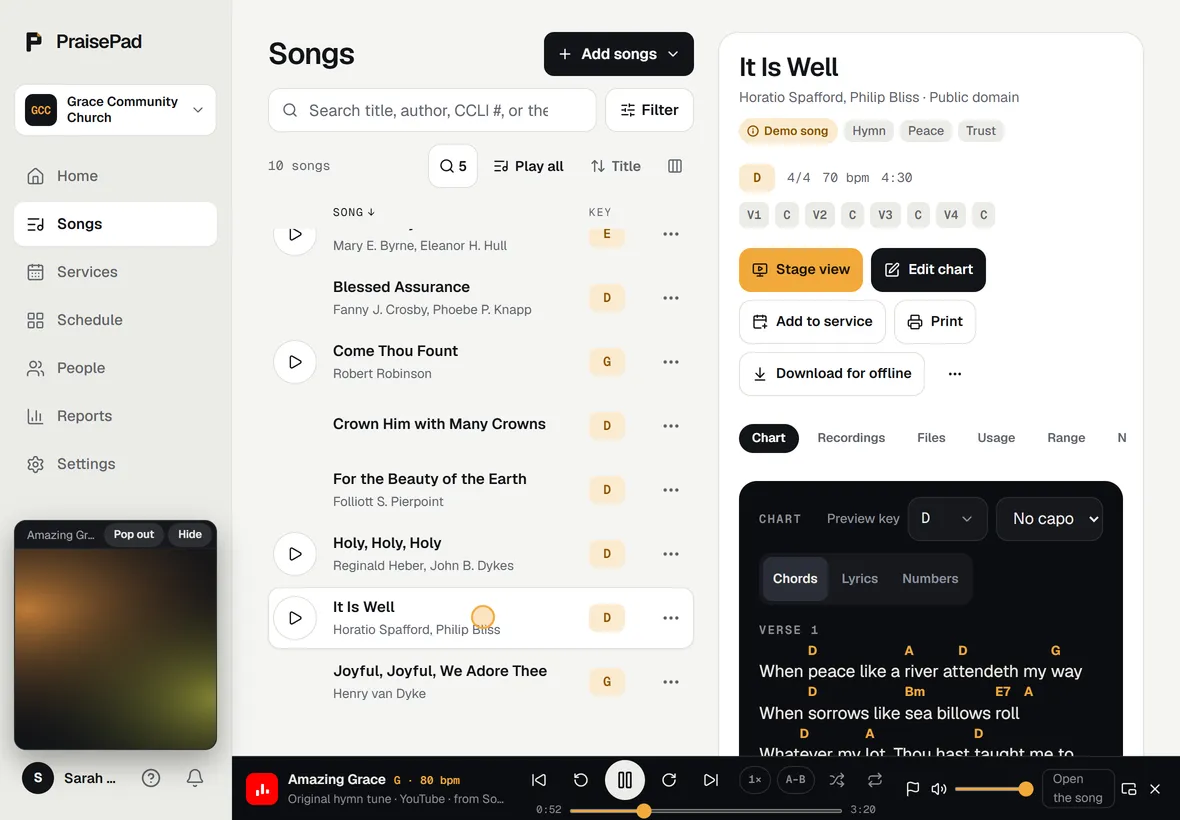
Each song’s recordings play in a bar that stays with you around PraisePad: the set in order, the video tucked into the sidebar, slowed down for the hard part, the bridge on a loop, and your own rehearsal mix too. A song with no recording? Find a recording lines up the closest match for every song at once.
-
Sunday
Play it from the stage.
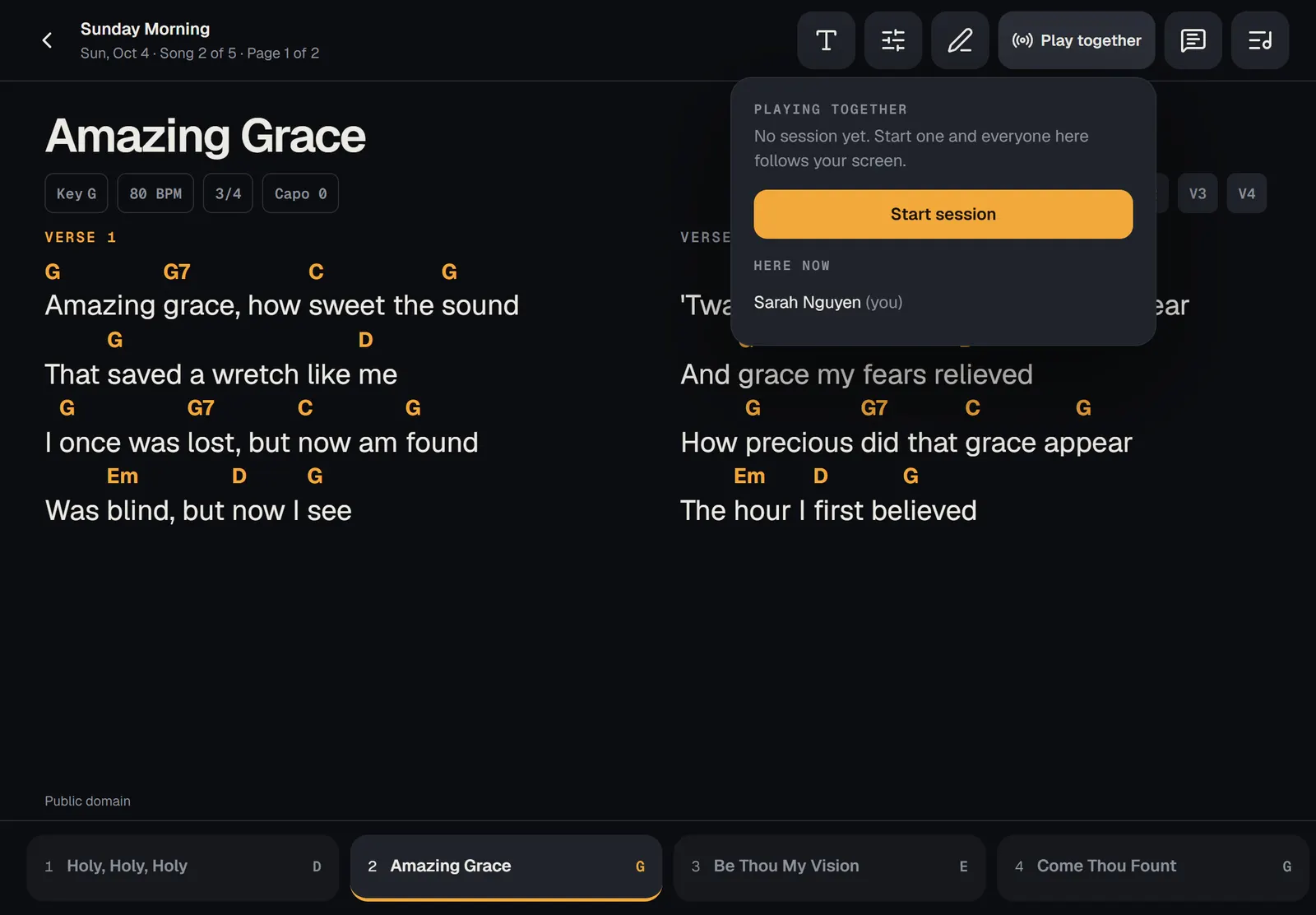
Two columns on an iPad, one on a phone, pages turned by a pedal. Download on Saturday and it works with no signal. Start a session and every screen follows the leader’s song, and the key they choose.
-
The Monday after
Know what you’ve sung.
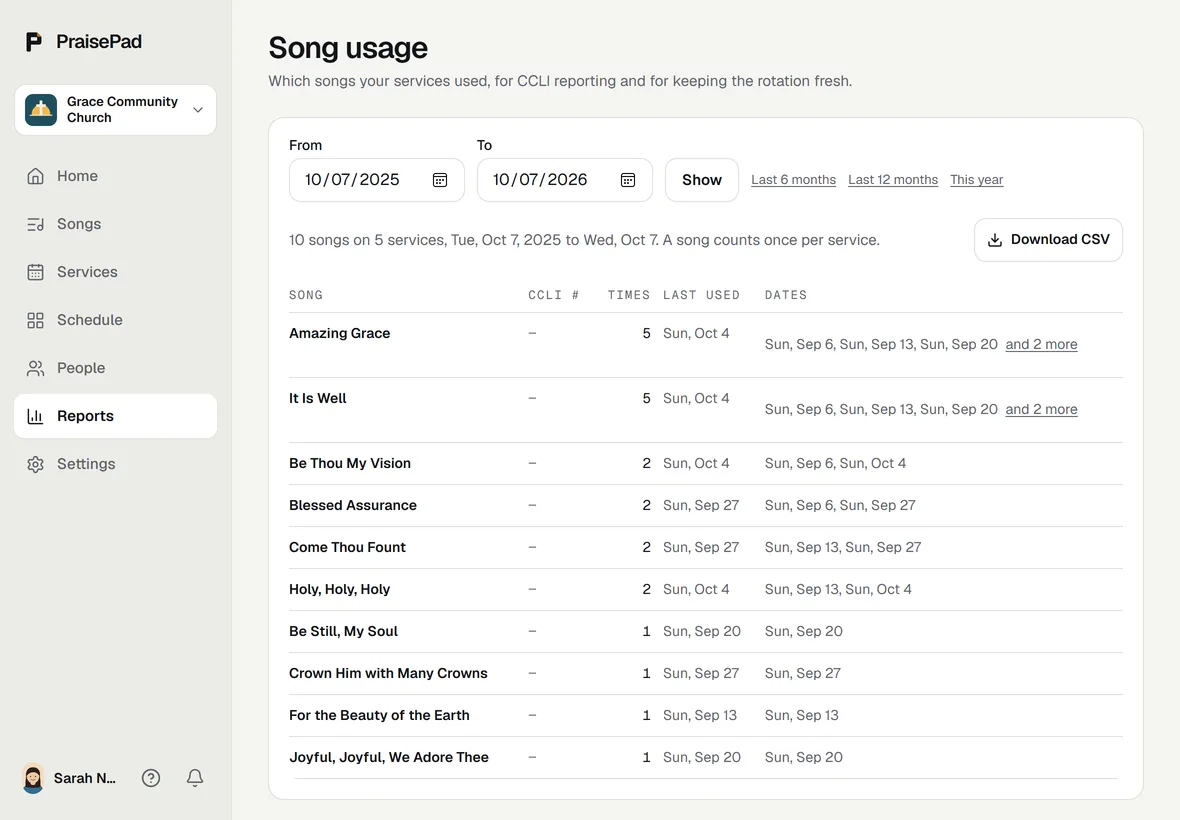
What each service used, exactly what to report to CCLI, and the songs that have rested too long. The library is yours: export every chart and file any time, on every plan.
What’s in it
- Plan a service Make a new service, build its set list with songs and other items, and publish it to the team.
- The run sheet, and printing the set See when each part starts and how long it runs, then print the order of service and the charts.
- Choose who leads each song Pick one or two people to lead each song, see who led it before, and set their key and version in one tap.
- Get song suggestions for a theme or sermon Let AI pick songs from your own library for a service, with keys and reasons, then add the ones you want.
- Change a set list by typing what you want Type a change like "Move song 2 to the end in G", check the preview, then apply it or undo it.
- Share a service with your team A short link for a group text, with a card that shows the set list, and a ready message for each person.
- Updates and announcements on a service Post notes for a service's team, and send an announcement to everyone scheduled.
- Ask people to play on a service Choose people for each position on a service, then send the requests by email and in the app.
- Say yes or no to a request Answer a request to play from the email or in the app, and change your answer before the service.
- Fill open spots automatically Let PraisePad draft the open spots on your services, then check and save it before anyone is asked.
- Add your time away Tell your leaders which days you can't play, so nobody asks you for them.
- Find a sub when you can't make it Ask everyone who plays your position and is free that day. The first to say yes takes your spot.
- Set your church's scheduling rules Rules for who serves when, written in plain words or set up by hand, for Fill open spots to follow.
- Switch from Planning Center Connect the church's Planning Center once; people, songs with charts and files, and plans as services come across.
Each opens its help article. Every feature, on the Everything page under Services and sets
Questions
Do people need an account to answer?
No. Each request is an email: Respond, then I’ll be there or I can’t make it, with no sign-in. People with an account see it on their Home too, and can change their answer until the service starts.
From the help: Say yes or no to a request
Does it keep to who’s away?
Yes. Fill open spots only picks people who have the position, aren’t away that day, aren’t on another service at the same time and fit your church’s scheduling rules, starting with who has served least lately. You check the draft before anyone is asked.
From the help: Fill open spots automatically
Can we bring our plans from Planning Center?
Yes. Connect Planning Center once and PraisePad reads your people, your songs with their charts and files, and your plans as services, each song in the plan’s key. It never writes to Planning Center, and nobody is emailed.
From the help: Switch from Planning Center
What does it cost?
Planning services and scheduling by hand are in every church plan. On Free that’s up to 5 people and one kind of service. Fill open spots and the AI features come with a paid plan, from $14 a month for a team of up to 10.
From the help: Your plan, the 14-day trial, and the AI allowance
Something else? Search the help centre, or ask Pad, PraisePad’s assistant, with the button at the corner of the page.
The rest of PraisePad
- Songs and the stage Every chart in every key, on an iPad or phone, even without Wi-Fi.
- Serve Every team on the schedule: greeters, ushers, parking, kids, tech.
- Present Slides from the service, every screen, the sermon from your notes.
- Kids & Check-In Check-in with codes and labels, rooms, paging, the family pass.
- Giving Gifts recorded and counted by two, statements in minutes, giving online.
- Events and the calendar One calendar, sign-ups, tickets, check-in at the door, rooms booked.
- Your church’s site A cover photo, Plan a visit, sermons, Give and a chat, in English and Spanish.
- Everything in PraisePad All 145 things it does, by area, each with its help.
Try it with your own church.
Every new church starts with 14 days of Team 10’s features for up to 5 people, no card needed.