Present · $19 a month on a paid plan, 30 days free
Slides made from the service. On every screen.
Open a service and press Present: every song is already lyric slides, in the order you sing it, with the CCLI line. Change the set list and the slides follow. Run them from the browser to the projector, the pastor’s screen, the lobby and the livestream.
$19 a month or $190 a year, added to a paid plan, and a church can try it free for 30 days first, once. Churches in the beta and on Enterprise have it included.
- Learn your part: Tech booth For whoever runs the slides, the screens or the sound
- Learn your part: Pastor For whoever preaches
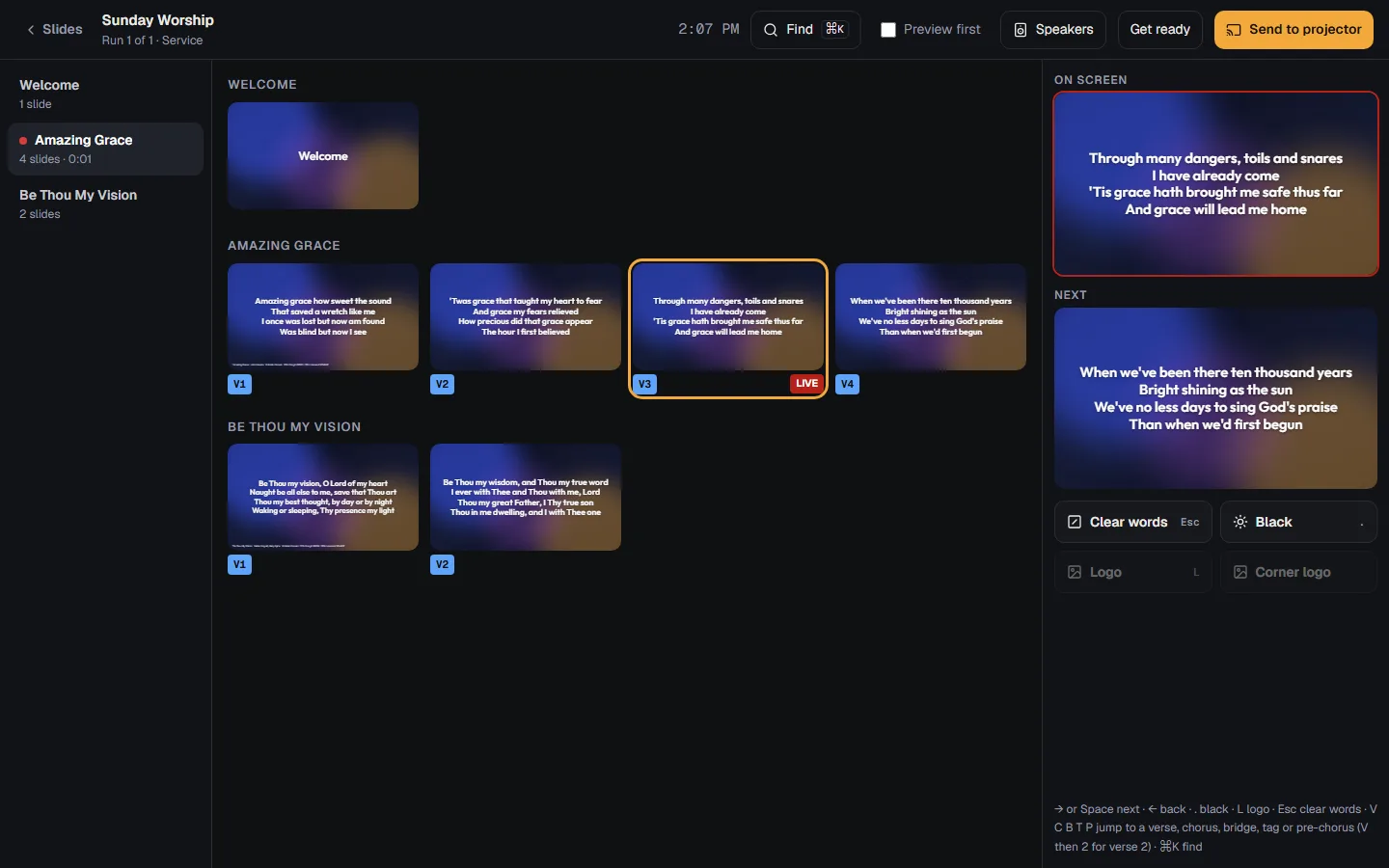
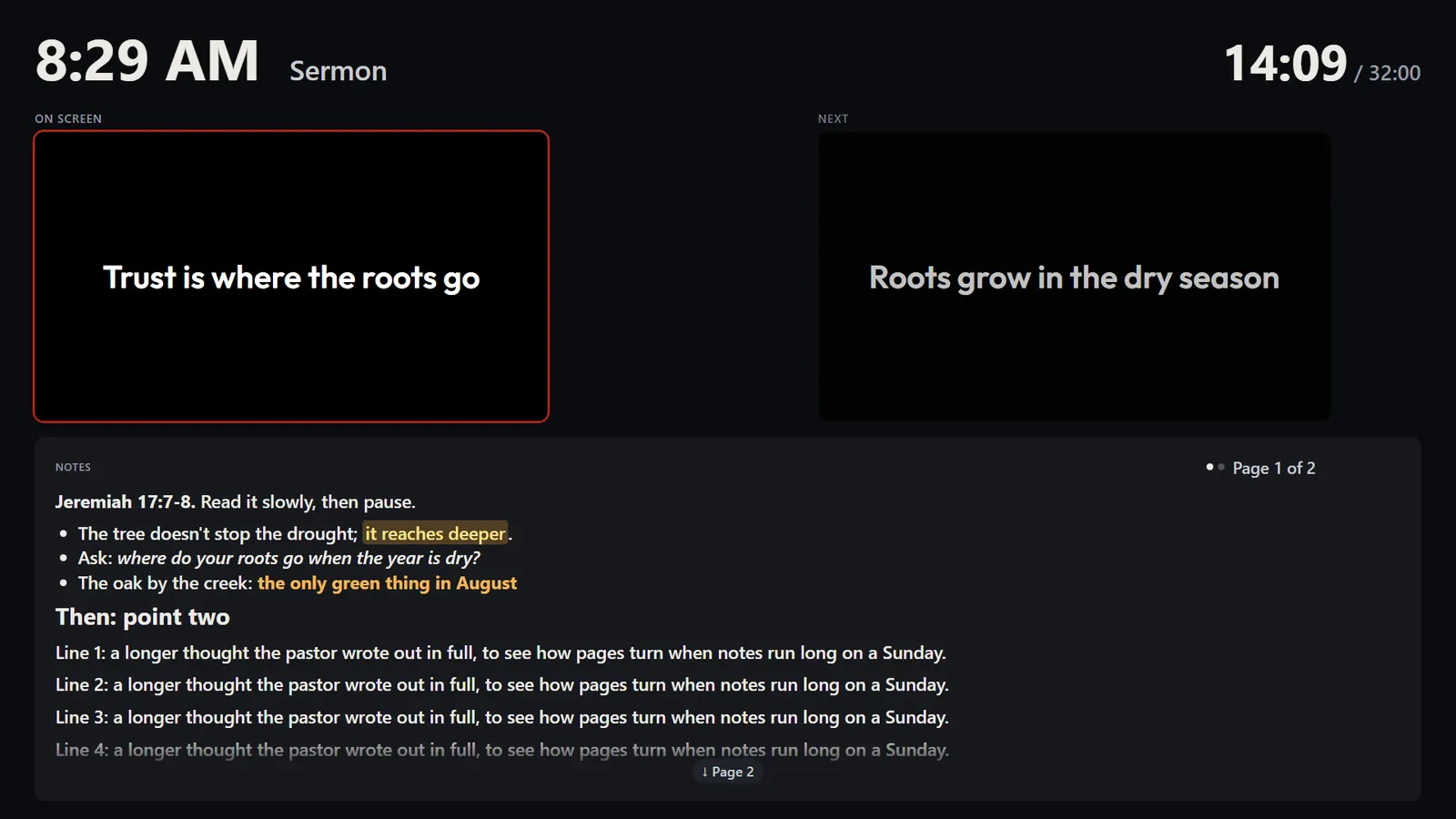
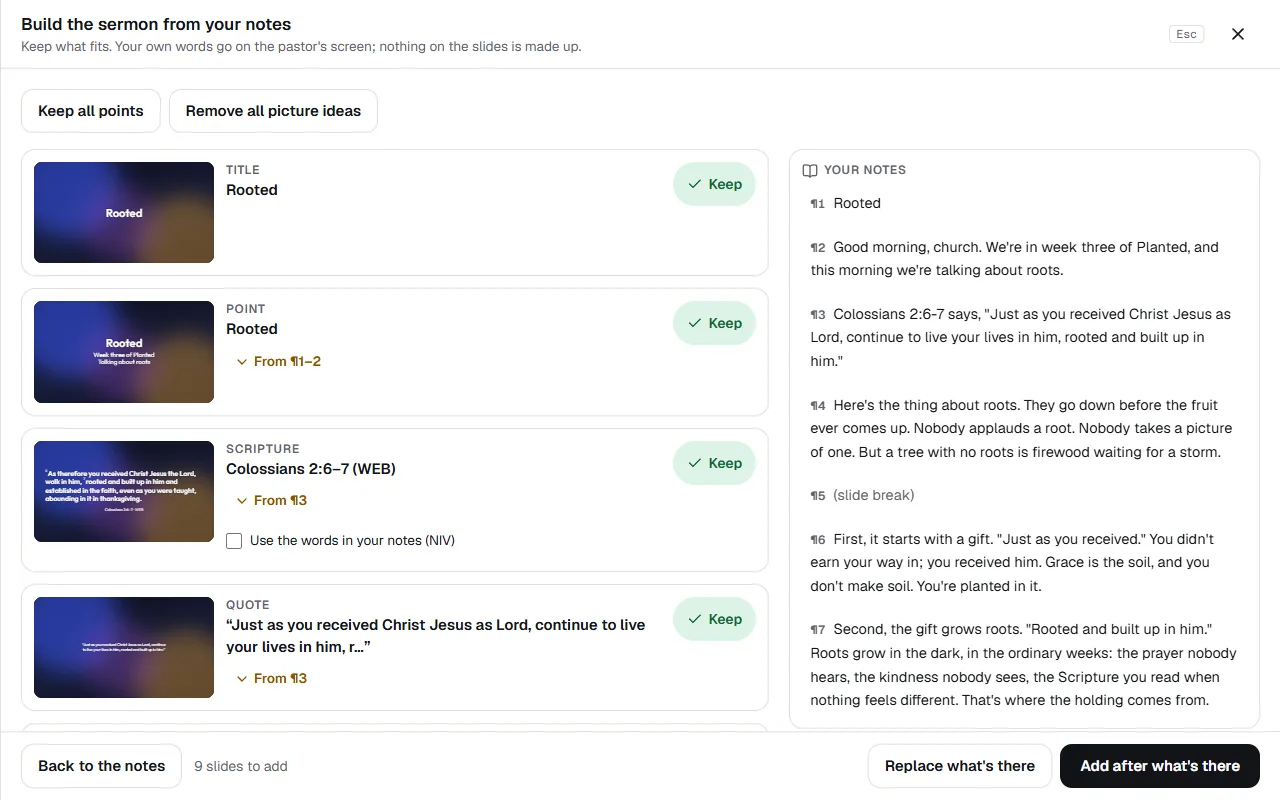
The whole service, ready.
Scripture typed the way you’d say it, in the World English Bible, the King James or the Reina-Valera 1909. Announcements that fill themselves in each week, a countdown with walk-in music, and the sermon’s slides built from the pastor’s notes, with their exact words on the pastor’s screen.
Every screen knows its job.
The pastor’s screen with the notes, the time and your messages; a singers’ monitor; lobby TVs by link; the words over your livestream’s camera in OBS, vMix, Ecamm or StreamYard; each with a look of its own. Run it from the booth, a Stream Deck or a phone.
Yours, start to finish.
Themes in your fonts and colors, slides you design, pictures made with AI and kept only when you choose. Get ready for Sunday keeps everything the projector needs on the booth computer, so it keeps going if the Wi-Fi drops, and the PowerPoint, the pictures or a PDF are one press away.
What’s in it
- Slides for the screens Lyric slides made from your set list, with Scripture, announcements and a countdown, run from the browser.
- Song slides that come out clean Present tidies a chart for the screen, hides instrumental parts at first, and remembers your changes.
- Build the sermon's slides from your notes Paste the manuscript or a Word file: points, Scripture and quotes on the screen, the pastor's own words on theirs.
- The pastor's screen, the lobby and events The pastor's screen, a singers' monitor, lobby TVs with the time and a QR, and words for the livestream.
- Looks for each screen Give the lobby, an overflow room or the stream a look of its own: words on black, no Kids pages, announcements only.
- Words for your livestream Put the song words over your stream's camera with a link in OBS, vMix, Ecamm or StreamYard, in your stream look.
- Your phone as a remote Press Next, Back, Screen off or a Moment from your phone, message the pastor's screen, and read the notes.
- Follow along on phones The sermon's outline with its blanks filling in, the verses, your next steps and notes, on everyone's own phone.
- Record the sermon Record the sermon from the sound desk at the booth, then trim it, cut a part out, download or publish it.
- Live captions and translation The sermon's words on the screens and phones as they're said, translated for people who read another language.
- Themes, how the words look Make your own look for the slides, with your fonts and colors, and words that stay readable on any picture.
- Design a slide of your own Put words, pictures, shapes and lines anywhere on a slide, with shadows, blends and outlines; start from a layout.
- Make a picture with AI A background or picture for your slides from a few words, in a style you pick, checked for church, and yours.
- Bring in a PowerPoint Drop a PowerPoint on a part of the slides: its words, notes and pictures come in as slides you can edit.
- Send the slides out: PowerPoint, pictures or PDF From Ready for Sunday, save the slides as a PowerPoint file, a zip of pictures or a PDF, so any computer can show them.
- Leaving ProPresenter: bring in your songs and playlists Bring in ProPresenter 6 and 7 songs, a whole library or exported playlists, with their slide breaks and CCLI numbers.
Each opens its help article. Present: every feature, on the Everything page
Questions
What does Present cost?
$19 a month or $190 a year, added to a paid plan, and a church can try it free for 30 days first, once. Churches in the beta and on Enterprise have it included. An owner or admin adds it from Present, and Settings, then Modules shows how your church has it.
From the help: Modules: Present, Serve, Kids, Giving and Events
What if the internet drops during the service?
Get ready for Sunday downloads the pictures, videos, walk-in music, the Bible books your readings use and the pages to the booth computer, so the screen keeps going if the internet drops. Screens on other devices, like the pastor’s iPad and the lobby TVs, need the internet, and reconnect by themselves when it’s back. The phone remote, Follow along on phones and live captions need it too.
From the help: Present: slides for the screens
We use ProPresenter. Can we bring our songs?
Yes: ProPresenter 6 and 7 songs, a whole library or exported playlists, with their slide breaks and CCLI numbers. The files are read on your own computer; only the words come in, and pictures and videos stay where they are.
From the help: Leaving ProPresenter: bring in your songs and playlists
Who can run the slides?
Leaders and up, whoever is scheduled in the Production position for that service, and anyone given Can run slides in Present’s Settings. Someone with Present access as a viewer can press Next from their phone without running the slides.
From the help: Present: slides for the screens
Something else? Search the help centre, or ask Pad, PraisePad’s assistant, with the button at the corner of the page.
The rest of PraisePad
- Songs and the stage Every chart in every key, on an iPad or phone, even without Wi-Fi.
- Services and scheduling Sunday planned in minutes, and the right people asked once.
- Serve Every team on the schedule: greeters, ushers, parking, kids, tech.
- Kids & Check-In Check-in with codes and labels, rooms, paging, the family pass.
- Giving Gifts recorded and counted by two, statements in minutes, giving online.
- Events and the calendar One calendar, sign-ups, tickets, check-in at the door, rooms booked.
- Your church’s site A cover photo, Plan a visit, sermons, Give and a chat, in English and Spanish.
- Everything in PraisePad All 145 things it does, by area, each with its help.
Try it with your own church.
Every new church starts with 14 days of Team 10’s features for up to 5 people, no card needed, and Present has 30 days free of its own.