Serve · No extra charge
Every team on the schedule, not only the band.
The scheduling your worship team uses works for greeters, ushers, parking, kids volunteers, prayer and tech. Switch a team on with one tick, and requests, reminders, time away and Fill open spots work for them as they do for the band.
No extra charge: Serve is included for every church. Everyone you put on a team counts once toward your plan’s team size, as the band does.
- Learn your part: Serving team For greeters, ushers, parking and every serving team
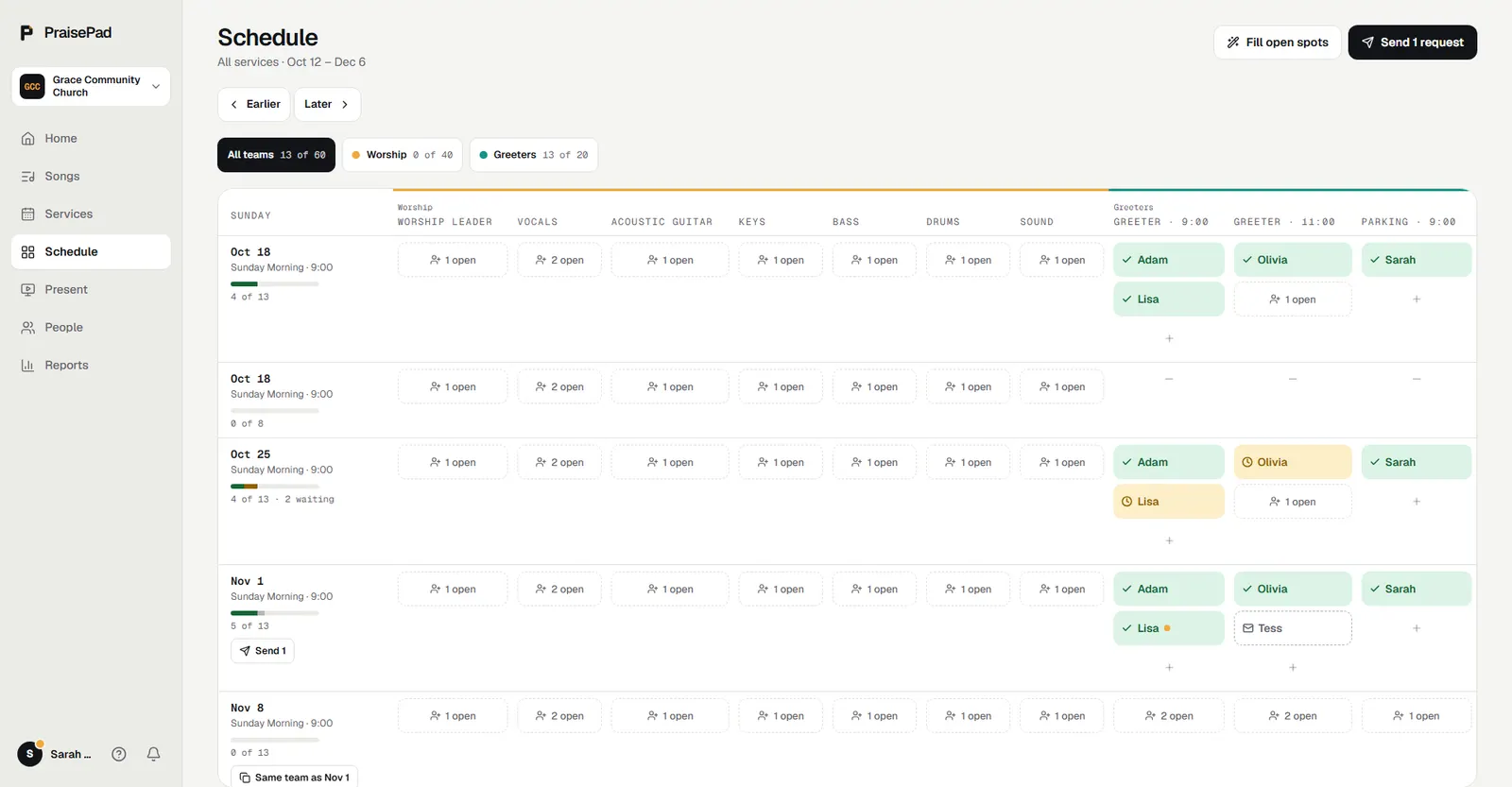
Team leaders run their own team.
Tick someone as a team’s leader and they schedule that team, send its requests, answer for people, and see their team’s phone numbers and time away. Give each service time its own spots: two greeters at 9:00, two at 11:00.
People choose, within your limits.
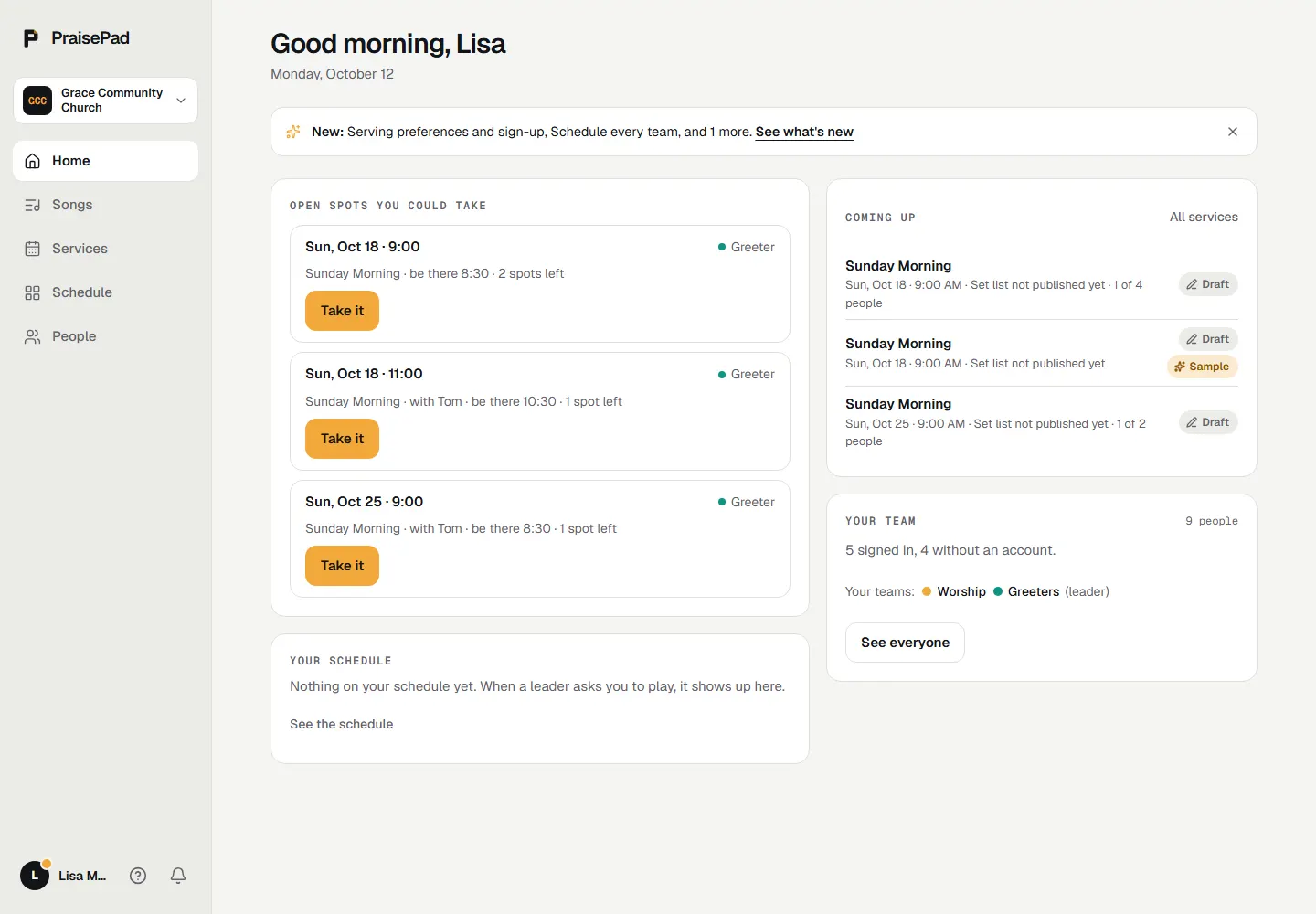
Under Serving, people say how often and when they’d like to serve, and Fill open spots keeps to it. Open a spot for sign-up and it shows on Home for the people who hold that position: Take it, and it’s theirs, with an hour to undo.
Ready, here, and thanked.
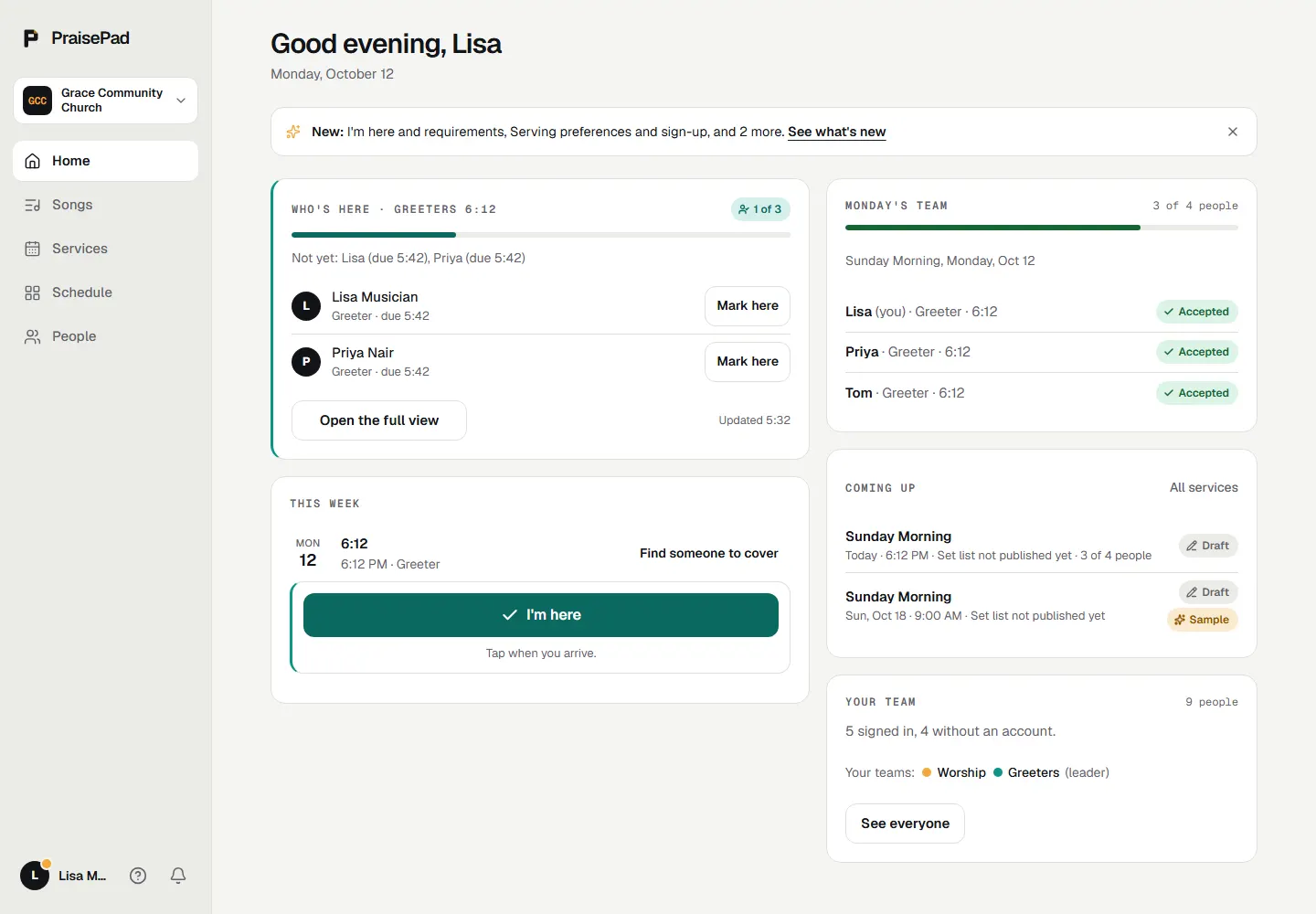
Require a background check, a training or a signed policy before someone serves. On the day, I’m here checks people in with one tap, even with no signal, and the serving report shows who’s carrying too much, with Say thanks.
What’s in it
- Put every team on the schedule Greeters, ushers and kids volunteers on the same Sunday as the band, a spot per service time, a leader for each team.
- Lead your team A team leader schedules their own team, sends its requests, answers for people and reaches them, and nothing else.
- Say how often you can serve Up to twice a month, the 1st and 3rd Sundays, the 9:00, with Tom. Fill open spots keeps to it.
- Open spots and sign-up A leader opens a spot; people who hold the position take it from Home. Theirs at once, the leader told, an hour to undo.
- Find a sub when you can't make it Ask everyone who plays your position and is free that day. The first to say yes takes your spot.
- I'm here and Who's here Check in with one tap on the day; leaders see who's arrived, mark people here and call anyone late.
- Requirements to serve Background checks, trainings, policies to sign and a minimum age, current before someone serves.
- The serving report Who's carrying too much, who hasn't served lately and why, what's open, what expires soon, and Say thanks.
- Count attendance from a phone An usher taps the service time, presses + and − for adults, kids and online, and saves. Works with no signal.
Each opens its help article. Every feature, on the Everything page under Scheduling
Questions
Do volunteers need an account?
No. A request is an email they answer with no sign-in: Respond, then I’ll be there or I can’t make it. With an account they also see it on their Home. Either way they can change their answer until the service starts.
From the help: Say yes or no to a request
Can we require a background check?
Yes: a background check every two years, a training, a policy to sign or a minimum age, set once and applied to teams or single positions. One that blocks keeps people off the schedule until it’s current.
From the help: Requirements to serve
What if there’s no signal in the building?
I’m here still works. The tap is saved on the phone and sends when it’s back online, with the time it was tapped.
From the help: I'm here and Who's here
What does Serve cost?
Serve itself costs nothing extra: it’s included for every church, and an owner or admin switches each team on under Settings, then Teams. Everyone you put on a team counts once toward your plan’s team size, as the band does: a band of 10 and 12 greeters are a team of 22, which is Team 25, at $29 a month.
From the help: Your plan, the 14-day trial, and the AI allowance
Something else? Search the help centre, or ask Pad, PraisePad’s assistant, with the button at the corner of the page.
The rest of PraisePad
- Songs and the stage Every chart in every key, on an iPad or phone, even without Wi-Fi.
- Services and scheduling Sunday planned in minutes, and the right people asked once.
- Present Slides from the service, every screen, the sermon from your notes.
- Kids & Check-In Check-in with codes and labels, rooms, paging, the family pass.
- Giving Gifts recorded and counted by two, statements in minutes, giving online.
- Events and the calendar One calendar, sign-ups, tickets, check-in at the door, rooms booked.
- Your church’s site A cover photo, Plan a visit, sermons, Give and a chat, in English and Spanish.
- Everything in PraisePad All 145 things it does, by area, each with its help.
Try it with your own church.
Every new church starts with 14 days of Team 10’s features for up to 5 people, no card needed.